Music Career Finder

Start Here:

1.

1. Pick one.

*This question is required.
3.

3. What are you most interested in? Select as many as you like. 

*This question is required.
  • Our top overall DAW pick is Fender Studio Pro, formerly PreSonus Studio One Pro, which was officially renamed in January 2026.
  • DAW stands for Digital Audio Workstation.
  • A DAW is the main software used to record, produce, edit, and mix music. It is the hub of a modern music-making setup.
  • In 2026, the biggest DAW trend is not “AI making music for you,” but smarter workflow tools like stem separation, speech-to-text, flashback capture, modulation upgrades, and faster editing.
  • This guide rounds up the best DAWs in 2026 for different types of musicians, producers, engineers, and beginners.
  1. Introduction
  2. Overall Best DAW
    1. Fender Studio Pro
  3. Best for Live Performance
    1. Ableton Live
  4. Best for Bands
    1. Steinberg Cubase Pro 15
  5. Best for Songwriters
    1. Logic Pro
  6. Best for EDM
    1. Image Line FL Studio
  7. Best Free DAW
    1. Tracktion Waveform Free
  8. Best DAW for Beginners
    1. Best DAW for Beginners: Apple GarageBand
  9. DAWs and Artificial Intelligence
  10. Analog vs. Digital: How Technology Is Shaping Modern Music Production
    1. Analog Recording: Warmth, Color, and Commitment
    2. Digital Recording: Precision, Speed, and Flexibility
    3. Analog vs. Digital: Key Differences in Today’s Studio
    4. The Cloud Era: Collaboration Without Boundaries
    5. Bridging the Gap: Hybrid Approaches
    6. Conclusion: Finding Your Sound
  11. Best for iPad
    1. Apple Logic Pro
  12. Best for Sound-to-Picture
    1. AVID Pro Tools
  13. Best for Experimental
    1. Bitwig Studio
  14. Best for Scoring
    1. Steinberg Cubase 15
  15. FAQs
    1. What is a DAW?
    2. What's the difference between MIDI and audio tracks?
    3. I've got the software, what else do I need?
  16. Sources
  17. References

Let’s guide you to the best DAW in 2026 for your style of music and workflow.

The range of DAWs, or Digital Audio Workstations, available in 2026 is stronger than ever. The big names are no longer just trying to prove they can do everything. At this point, most of them can. What separates them now is how they feel to work in, how fast they let you move, and which kind of musician or producer they seem to understand best.

With the right DAW, you can record bands, write songs, build beats, shape electronic tracks, sketch film cues, edit audio, mix a record, and finish music at a professional level from one setup. That part is no longer the question. The real question is which DAW fits your brain, your genre, and your way of working.

Most home recording software still covers a similar core set of tools, but the differences matter more than people think. Some DAWs are brilliant for songwriting but clumsy for live performance. Some are amazing for electronic production but less satisfying when you are editing lots of live audio. Others are deep, powerful, and honestly a little overwhelming unless you know exactly why you are there.

That is why this guide is useful. I have spent years working with and reviewing DAWs, tracking which ones actually improve and which ones mostly add marketing fluff. And 2026 has made the gap even clearer. The best recent updates are not about some fantasy of AI replacing musicians. They are about genuinely helpful workflow upgrades like stem separation, flashback-style capture, smarter editing, stronger modulation tools, and better ways to get from idea to finished track without fighting the software.

So whether you are recording a band, producing pop, making beats, scoring to picture, or just trying to choose your first serious setup, one of these digital audio workstations will make a lot more sense for you than the others.

If you want a deeper breakdown of what a DAW actually is and how it works, check out What is a DAW?. Otherwise, let’s get into the best DAWs for 2026.

“If you understand a DAW, you could open up any other DAW and get a good understanding of how to use it.” — Thor Fienberg, Emmy-winning recording and mixing engineer

Overall Best DAW

Fender Studio Pro

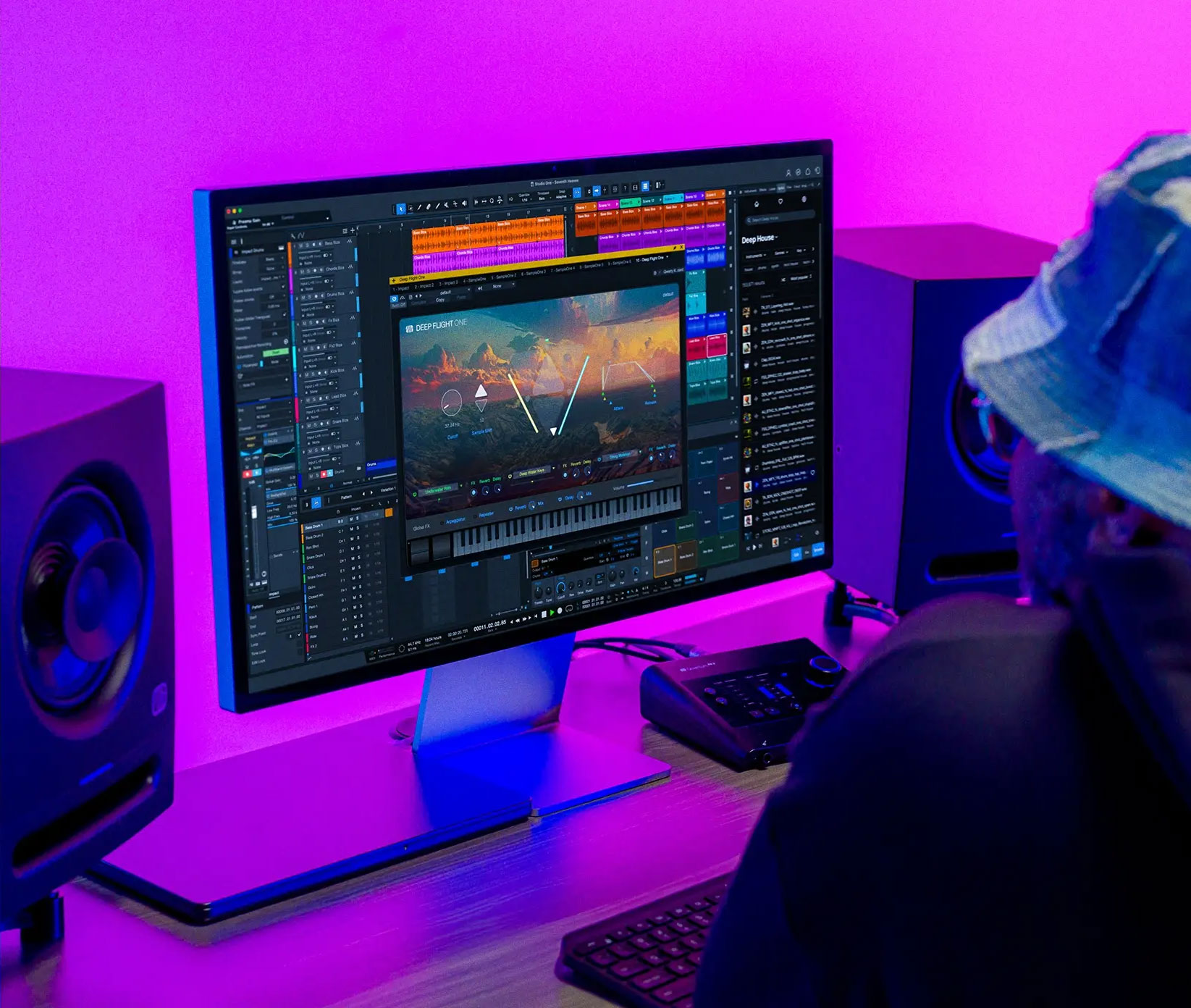
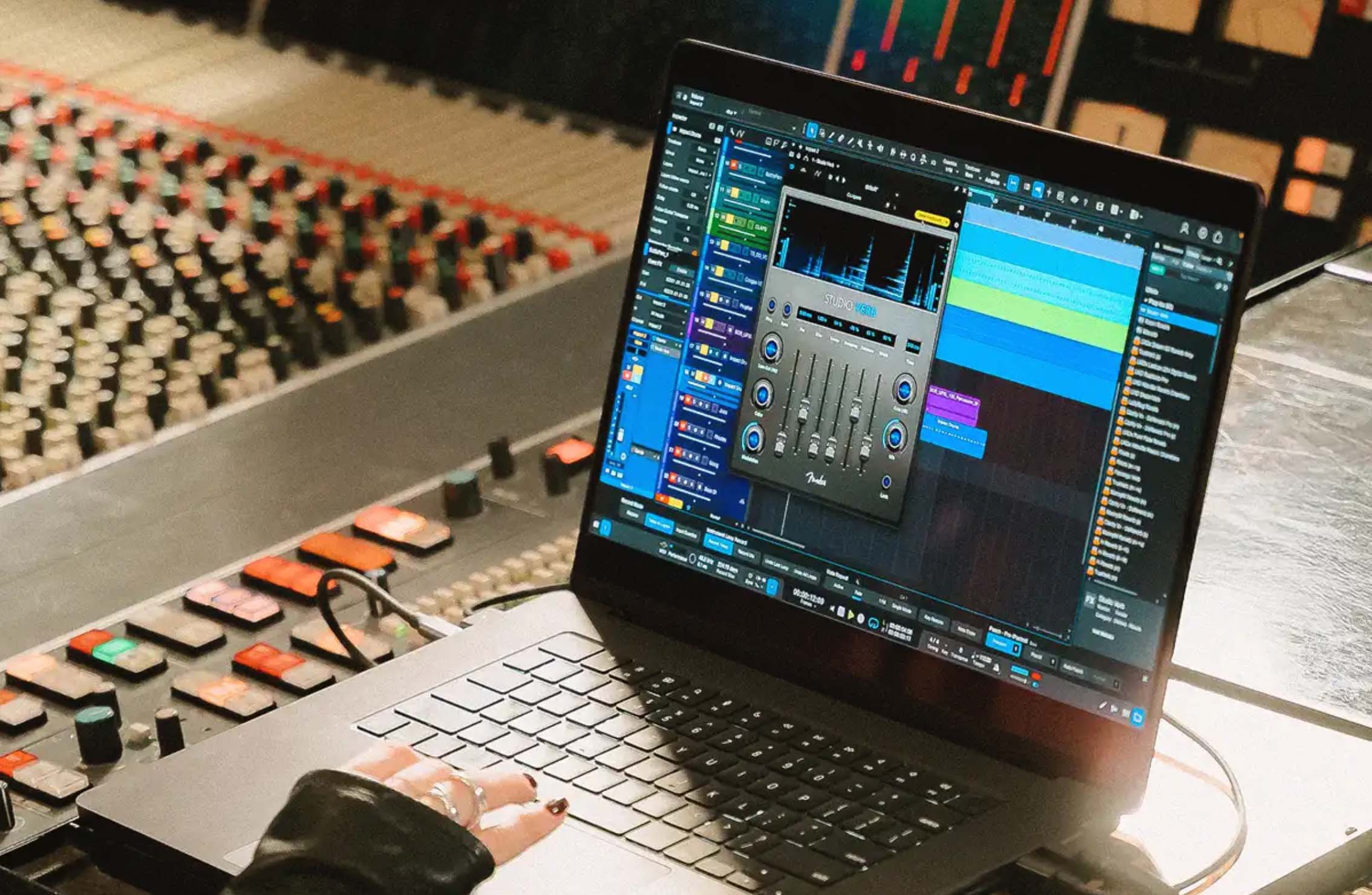
PreSonus Studio One Pro 7 screenshot with tracks, instruments and mixing

In 2026, my pick for the best DAW overall is Fender Studio Pro, formerly PreSonus Studio One Pro. Yes, the rename is a little awkward, and plenty of longtime users on Reddit have said exactly that. But once you get past the branding, this is still one of the most complete, well-thought-out DAWs on the market.

What makes it so strong is that it does not force you into one kind of music-making. Some DAWs clearly lean toward beatmakers, some toward traditional engineers, some toward live performers, and some toward people who enjoy getting lost in routing diagrams. Fender Studio Pro is one of the few that feels genuinely well-rounded without becoming a mess.

Over the last several versions, it has grown from a clean, fast recording platform into a seriously capable production environment. It covers songwriting, arranging, editing, mixing, mastering, and live performance in a way that still feels approachable. That is harder to pull off than it sounds. A lot of DAWs add features and end up feeling bloated. This one, for the most part, still feels organised.

I also think it strikes a smart balance between inspiration and discipline. It gives you creative tools when you want to sketch, experiment, loop ideas, or throw together arrangements quickly, but it also holds up when a project becomes more technical and detail-heavy. That is where some DAWs start to feel fun but flimsy. Fender Studio Pro does not.

The composition tools are a big part of the appeal. You are not just staring at a blank grid. There are patterns, launcher-style workflows, strong MIDI editing, songwriting helpers, and enough structure to keep ideas moving. On the production side, its editing, automation, and drag-and-drop workflow remain some of the best in any mainstream DAW. It is the sort of software that tends to make people faster.

It also has a few standout features that still help separate it from the pack:

  • Scratch Pads let you work on alternate arrangements and test ideas without wrecking the main project.
  • A dedicated mastering workflow makes it unusually easy to move from production into final polish without leaving the ecosystem.
  • Show Page turns studio sessions into live-performance sets, which is still a genuinely useful feature and not just brochure filler.
  • Strong songwriting and MIDI tools make it feel welcoming for musicians, not just Engineers.

It is excellent for songwriting, strong for scoring and sound design, and more than capable for editing, mixing, rearranging, looping, and mastering inside one environment. Just as important, it is easier to get into than some of its direct competitors. It does not expect you to already think like a full-time engineer before you can get anything done.

That said, I would not oversell it. Its included instruments are solid, not magical. And if you are the kind of producer who lives for deep internal modulation and experimental routing, Bitwig still has more of that energy. But as an overall DAW, the one I would recommend to the widest range of people, Fender Studio Pro is still the best balance of speed, depth, and usability.

Pros & Cons

  • Excellent songwriting and arrangement workflow
  • Professional-level editing, mixing, and mastering tools
  • One of the easiest full-featured DAWs to learn
  • Clean interface that rarely feels cluttered
  • Genuinely versatile across genres and workflows
  • Show Page and mastering tools add real value
  • Branding change from Studio One to Fender Studio Pro will annoy some longtime users
  • Included instruments are good, but not the strongest in the field
  • Less adventurous modulation and sound-design depth than Bitwig

Specs & Details

Version – Fender Studio Pro 8
Cost – Perpetual $199.99, Perpetual with Pro+ Annual Plan $179.99/year, or Pro+ Monthly Plan $19.99/month
Platform – Windows, macOS
Windows – Windows 10 version 22H2 or Windows 11, 64-bit only
macOS – macOS 13 Ventura or higher
fender.com

Alternatively, the next best is

Steinberg Cubase Pro 15. A deep, mature production environment with serious scoring, editing, and composition strength.
Steinberg.net
Best for Live Performance

Ableton Live

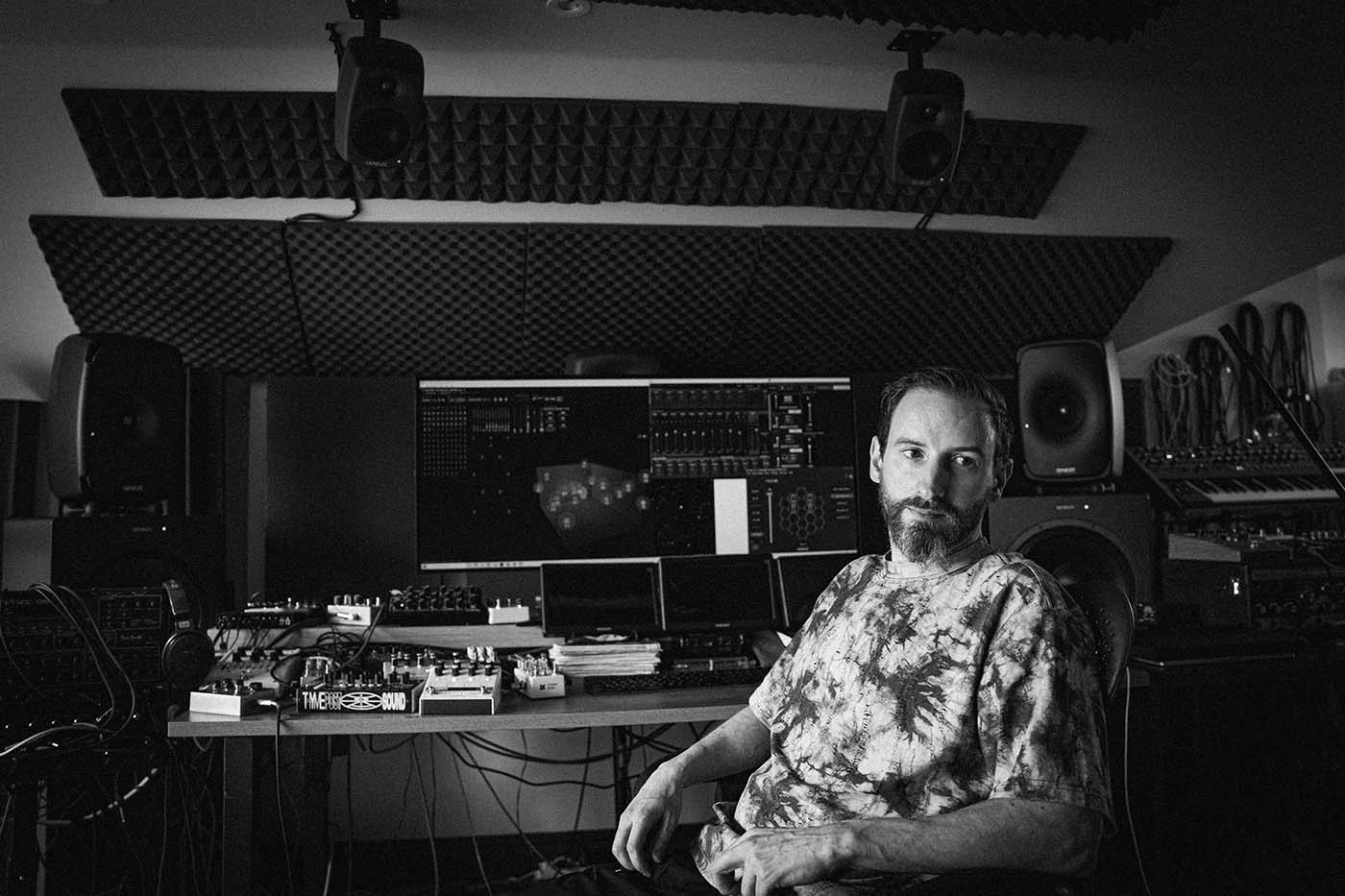
Ableton Live running on a computer screen sitting in a studio environment

If live performance is a serious part of what you do, Ableton Live is still the DAW to beat in 2026. At this point, it is not just the obvious choice because of the name. It is the obvious choice because no other DAW has built such a complete ecosystem around performing music in real time.

Ableton Live started life as a loop-based platform for laptop performance, but that old description does not really cover it anymore. It has grown into a deep production environment, a serious composition tool, and for a lot of artists, the centre of an entire live rig. But the reason it still wins this category comes down to one thing: Session View remains incredibly hard to beat.

The clip and scene workflow is what makes Live feel different on stage. You can map out a whole performance in advance, keep it tightly controlled, or leave space to improvise depending on the energy in the room. You can trigger full scenes, launch individual clips, build transitions on the fly, and move between structured and loose performance styles without the software fighting you.

That flexibility is a huge part of why Ableton is still the standard. You can automate a set so it behaves almost like a backing-track system, or you can treat it like an instrument and make decisions in the moment. Plenty of DAWs can be used live. Ableton still feels like it was built for it.

Live also keeps getting better in the details. Recent Live 12 updates have added useful improvements like Bounce to New Track, stronger browsing, updated devices, and deeper Push integration, while Live 12.4 is bringing Link Audio and further workflow refinements. None of that changes the core reason people use Live, but it does make the experience smoother and more flexible than it already was.

Beyond performance, it is still one of the most creative DAWs for electronic music, sound design, and hybrid composition. It supports alternative tuning systems, scales, audio slicing, MPE, and retrospective capture, and its browser and tagging system are better than they used to be. That matters because a live DAW is much more useful when it is also a good writing and production DAW.

There is also a practical reason Ableton stays on top: hardware support and community gravity. Push is still tightly integrated, controller support is broad, and there are endless tutorials, templates, and performance workflows built around Live. Bitwig may be more adventurous in some ways, but Ableton is still the platform more performers are actually building around.

There is not really another DAW that feels quite like Ableton Live. It can be intimidating at first, and some traditional recording musicians still find it less natural than more linear DAWs, but if your goal is to perform electronic or hybrid music live, the payoff is huge.

Pros & Cons

  • Still the best clip-launching workflow in any major DAW
  • Excellent for electronic performance and hybrid live sets
  • Strong MIDI sequencing, warping, and audio manipulation
  • Push and controller integration add real live value
  • Huge community, tutorial base, and performance ecosystem
  • Can feel confusing if you come from a traditional recording background
  • Not the most natural DAW for band tracking or classic studio editing
  • Suite pricing is expensive

Specs & Details

Version – Live 12 Intro, Standard, and Suite
Cost – Intro $99, Standard $439, Suite $749
Platform – Windows, macOS
macOS – macOS 11 Big Sur or higher, Intel Core i5 or Apple silicon, 8GB RAM, approximately 8GB disk space for basic installation, up to 76GB for additional sound content
Windows – Windows 10 or Windows 11, 64-bit Intel Core i5 or AMD Ryzen processor, 8GB RAM, approximately 6GB disk space for installation, up to 76GB for additional sound content
Ableton.com

Alternatively, the next best is

Bitwig Studio 6. It is more modular, more experimental, and in some areas more flexible than Ableton, but it still has a smaller ecosystem and less of a live-performance default status.
Bitwig.com

Hey, what do you think about trying our new Music Career HelperMusic Career Helper really quick? It’s totally free and could help get your career moving fast! Give it a try. It’s totally free and you have nothing to lose.

Best for Bands

Steinberg Cubase Pro 15

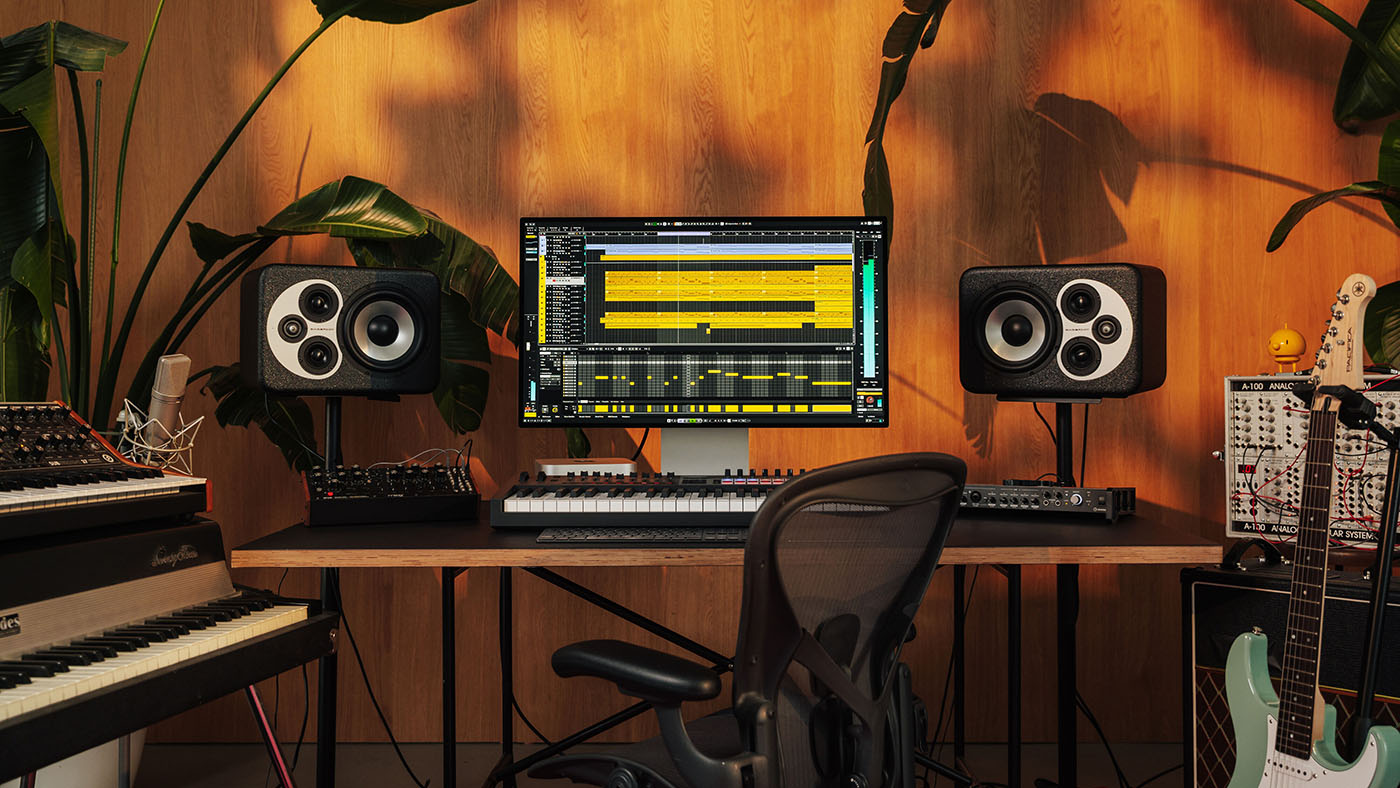
Steinberg Cubase Pro running on a screen in a studio environment with an empty chair

There are plenty of DAWs that can record a band, so this is not a category where one answer completely destroys the others. But in 2026, Cubase Pro 15 is still the one I would recommend first for most bands and band-focused producers.

Yes, the obvious studio-world answer would be Pro Tools. And in major commercial rooms, that still makes sense. But for a lot of real-world band recording situations, especially home studios and project studios, Pro Tools can feel like more DAW than you want in the wrong ways. Cubase is the better balance. It is powerful, mature, and professional, but it is generally easier to live with when a session gets messy, people are waiting, and you just need to get sounds recorded without friction.

That is really why Cubase wins here. It is good at the chaotic reality of recording bands. You can build out multitrack sessions quickly, set up headphone mixes through Control Room, use Audio Pre-Record so you do not lose a great take that happened before someone officially hit record, and then sort through multiple takes with excellent comping tools afterward.

Once the tracking is done, Cubase stays strong. You can clean up timing with AudioWarp, fix tuning with VariAudio, shape clip gain in detail, and move into mixing without feeling like you need to leave the platform or immediately pile on third-party tools. It is one of those DAWs that works well both when you are capturing a performance and when you are repairing the little problems that came with it.

Cubase 15 also continues Steinberg’s push toward a cleaner workflow. It is still a deep program, and nobody should pretend otherwise, but newer updates have added practical improvements rather than just more clutter. There is a newer Audio Settings window, continued refinement around setup and routing, and the overall recording-and-editing experience still feels more approachable than its feature count might suggest.

Another reason I like Cubase for bands is that it does not stop at tracking. Once you have the songs down, it can easily turn into a full production environment. You have strong built-in effects, amp processing, solid virtual instruments, advanced MIDI if you want to add layers later, and a mixer that is flexible enough to take a project much further than a quick demo.

So while Cubase absolutely has more under the hood than most bands strictly need, I would still rather recommend a DAW that gives you room to grow than one that feels restrictive six months later. For recording guitars, drums, bass, vocals, and then turning those recordings into finished productions, Cubase remains one of the strongest all-around choices.

Cubase is also packed with effects and has a deep library of virtual instruments, which matters when a band project starts expanding beyond straight live tracking. You can layer sounds, replace parts, tighten arrangements, and push a basic session into a much more finished production without switching DAWs.

Pros & Cons

  • Excellent multitrack recording and comping workflow
  • Control Room and setup tools are genuinely useful for band sessions
  • Strong editing, timing, and tuning tools built in
  • Good bridge between straight recording and full production
  • Deep mixer and mature professional feature set
  • Still has far more features than many bands will ever use
  • Can feel busy compared with simpler DAWs
  • Paid upgrades are not cheap
  • No VST2 support, which may annoy users with older plugin collections

Specs & Details

Version – Cubase 15: Pro, Artist, Elements
Cost – Pro $579.99, Artist $329.99, Elements $99.99
Platform – Windows, macOS
Windows – Windows 10 or Windows 11, 64-bit, Intel Core i5 4th generation or AMD Ryzen, 8GB RAM, 1GB to 80GB storage depending on content installed
macOS – macOS Sequoia, Sonoma, or Ventura, Intel Core i5 or Apple silicon, 8GB RAM, 1GB to 80GB storage depending on content installed
Steinberg.net

Alternatively, the next best is

Avid Pro Tools Studio. It is still the studio standard for recording and editing, but it is pricier, more rigid, and less inviting for many band-focused home and project studios.
Avid.com

Best for Songwriters

Logic Pro

Apple Logic Pro

If I were recommending one DAW specifically for songwriters in 2026, I would go with Logic Pro.

That is not because other DAWs cannot handle songwriting. Plenty can. Fender Studio Pro is good at it. Cubase is good at it. Ableton can absolutely be used for it. But Logic feels like the DAW that most naturally supports the full arc of how songwriters actually work: sketching ideas, trying chords, building arrangements, adding quick accompaniment, recording vocals, and turning a rough idea into a finished production without needing to fight the software.

One reason Logic works so well here is that it does not just hand you an empty project and wish you luck. The Chord Track, Live Loops, Drummer, and newer Session Players make it unusually easy to move from a fragment of an idea into something that sounds like a song. Apple’s Session Players can follow chords and help build out bass, keyboard, and drum parts, which is genuinely useful when you are writing alone and need something musical to react to.

That matters more than people admit. A lot of songwriters are not looking for the deepest engineering environment first. They want momentum. They want to test a progression, hear a groove under it, move sections around, stack harmonies, and keep the idea alive long enough to finish it. Logic is really good at that.

It also helps that the stock sounds are still excellent. Logic remains one of the best DAWs for built-in instruments, creative tools, and polished production value straight out of the box. You can write with pianos, synths, drums, strings, loops, and songwriter-friendly templates without instantly feeling pushed toward third-party purchases.

Another big part of the appeal is value. Logic Pro still costs $199.99 as a one-time purchase on the Mac App Store, which is frankly hard to beat for a DAW this deep. That makes it easier to recommend to serious beginners and intermediate songwriters who want something they can grow into instead of outgrowing in a year.

Now, the obvious catch: Logic is Mac-only. That is the biggest reason it cannot be the best DAW for everyone. But for songwriters specifically, if you are already on a Mac, it is the cleanest recommendation. It is powerful, polished, creatively supportive, and less sterile than some DAWs that feel more engineering-first than song-first.

That does not mean it is perfect. Some producers still prefer Fender Studio Pro for its drag-and-drop workflow and cleaner overall layout. Some electronic writers will feel faster in Ableton. But for pure songwriting, arranging, and building tracks from an idea, Logic Pro is the one I would pick first.

Logic also gives you enough depth to finish what you start. Once the writing is done, you have professional effects, strong editing, solid vocal production tools, powerful automation, and a mixer that can take a song all the way to release-ready form. That is part of why it remains so popular. It is friendly at the start, but it does not run out of road.

Pros & Cons

  • Excellent songwriting workflow with Chord Track, Live Loops, and Session Players
  • Outstanding built-in instruments, sounds, and creative tools
  • Great value for a full professional DAW
  • Strong for recording, arranging, and finishing songs in one place
  • Intuitive enough for many beginners, but deep enough for long-term use
  • Mac-only, which immediately rules out a lot of users
  • Some advanced features still feel buried compared with more drag-and-drop-focused DAWs
  • Less appealing than Ableton if your songwriting is heavily performance- or loop-based

Specs & Details

Version – Logic Pro
Cost – $199.99 one-time purchase
Platform – macOS only
macOS – Requires macOS 15.6 or later; Apple lists Logic Pro as compatible on Mac with Apple silicon for current Creator Studio availability, and the Mac App Store lists current compatibility at macOS 15.6 or later
Size – 2.7GB base app download, with additional content available
apple.com

Alternatively, the next best is

Fender Studio Pro 8. It is more cross-platform-friendly, still excellent for songwriting, and has strong arrangement tools like Scratch Pads, Launcher, and Chord Assistant, but Logic feels more naturally songwriter-first right now.
fender.com

Best for EDM

Image Line FL Studio

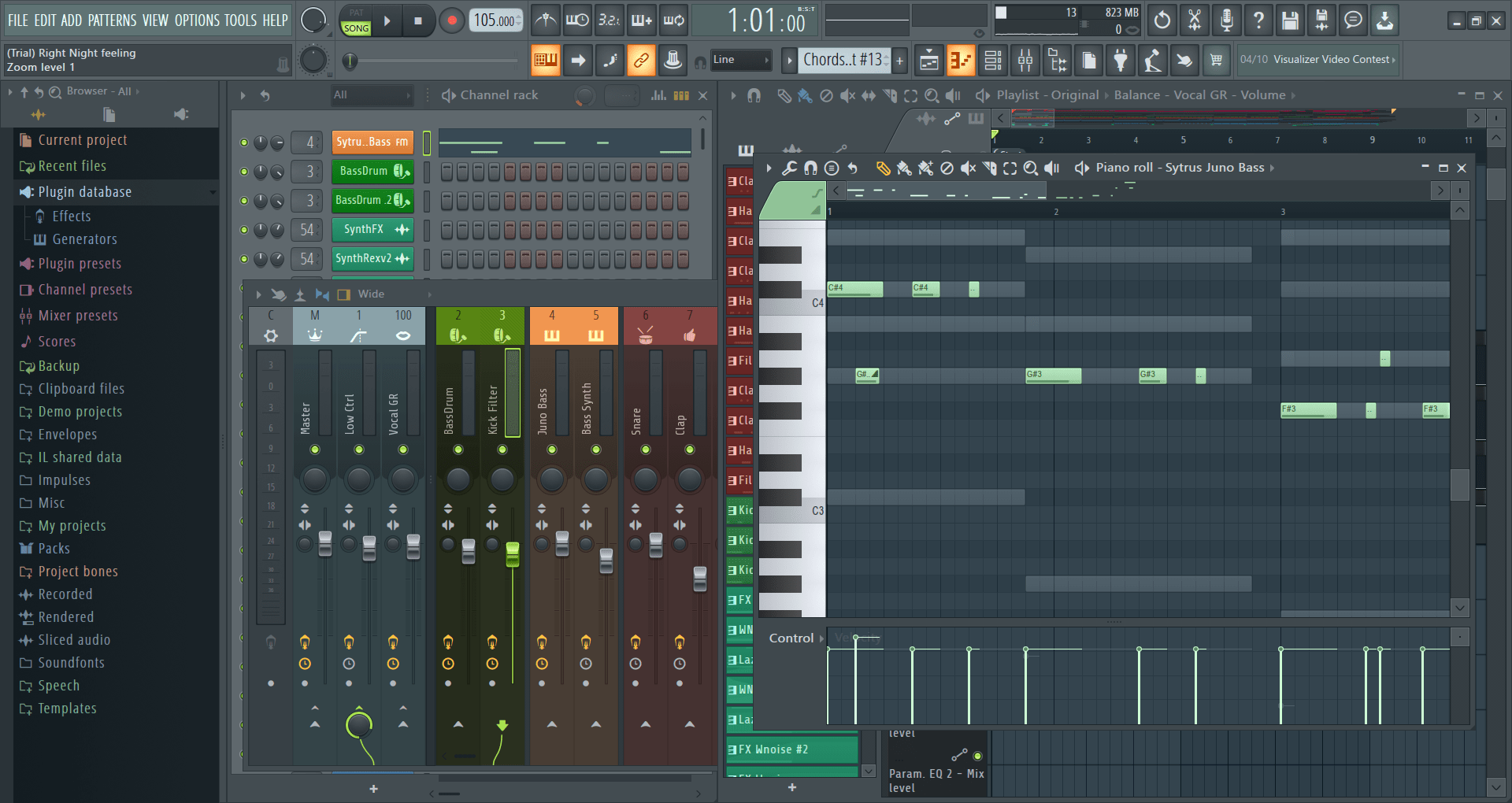
ImageLine FL Studio screenshot

A lot of free DAWs are either too limited, too stripped down, or too obviously designed to annoy you into paying for the upgrade. Waveform Free is one of the few that still feels like a serious piece of music software, which is why I would keep it as the best free DAW in 2026.

Tracktion’s approach has changed over time. It is no longer just “last year’s full version for free.” The current model is more modular than that. But the important part is this: the free version is still genuinely useful. Tracktion still describes Waveform Free as a fully featured, completely unlimited free DAW, and that is the core reason it stays on top in this category.

Waveform Free has a modern interface, unlimited audio and MIDI tracks, support for third-party VST plugins, and enough built-in effects and instruments to make real music without immediately hitting a wall. That last point matters. A free DAW should not just let you open a project. It should let you finish one. Tracktion’s own feature pages highlight refreshed stock effects, utilities, MIDI tools, and built-in instruments, along with VST, VST3, and AU support.

It also has some higher-end touches that are uncommon at this price, mainly because the price is zero. You still get comping, looping, retrospective recording, and even video support, which makes it more capable than a lot of “free” DAWs that are really just restricted demos. Bedroom Producers Blog recently called it the best overall free DAW in 2026, and that lines up with how a lot of users talk about it.

That said, I would not oversell it. Waveform Free is not the easiest DAW on earth. The interface is cleaner than it used to be, but it can still feel a little parameter-heavy at first, especially if you are brand new. It is powerful, but it is not as instantly friendly as GarageBand, and it is not as familiar-looking to some Windows users as Cakewalk Sonar.

The modular upgrade path is also a mixed bag. In theory, it is smart: you can pay for the exact extras you want instead of buying a whole bigger package. In practice, some people will probably find it simpler to either stay free or just move up to the full paid version later. Still, that is a much smaller complaint than the usual free-DAW compromises.

If you have no money to spend and want a DAW that still lets you record, edit, mix, and actually grow, Waveform Free is one of the safest recommendations out there. And once you start adding more free plugins or virtual instruments, it becomes even more useful as a long-term setup rather than just a temporary stopgap.

Pros & Cons

  • Actually free and still genuinely capable
  • Unlimited audio and MIDI tracks
  • Supports third-party VST plugins and virtual instruments
  • Cross-platform support is a big advantage
  • More powerful than most people expect from a free DAW
  • Learning curve is steeper than some beginner-first DAWs
  • The modular add-on system is not as clean as a simple free-versus-paid split
  • Included content is not as exciting as some paid DAWs

Specs & Details

Version – Waveform Free 13.5
Platform – Windows, macOS, Linux, Raspberry Pi
Windows – Windows 10/11, 64-bit, Intel or AMD
macOS – macOS 10.15 or later, 64-bit, Intel or Apple silicon
Linux – Ubuntu 20.04 64-bit
Raspberry Pi – Raspberry Pi 3 Model B, 64-bit
Tracktion.com

Alternatively, the next best is

Cakewalk Sonar. It is a stronger fit for Windows users who want a more traditional studio DAW layout and a classic multitrack workflow, but Waveform Free remains the better all-around cross-platform free recommendation.
Cakewalk.com

Best Free DAW

Tracktion Waveform Free

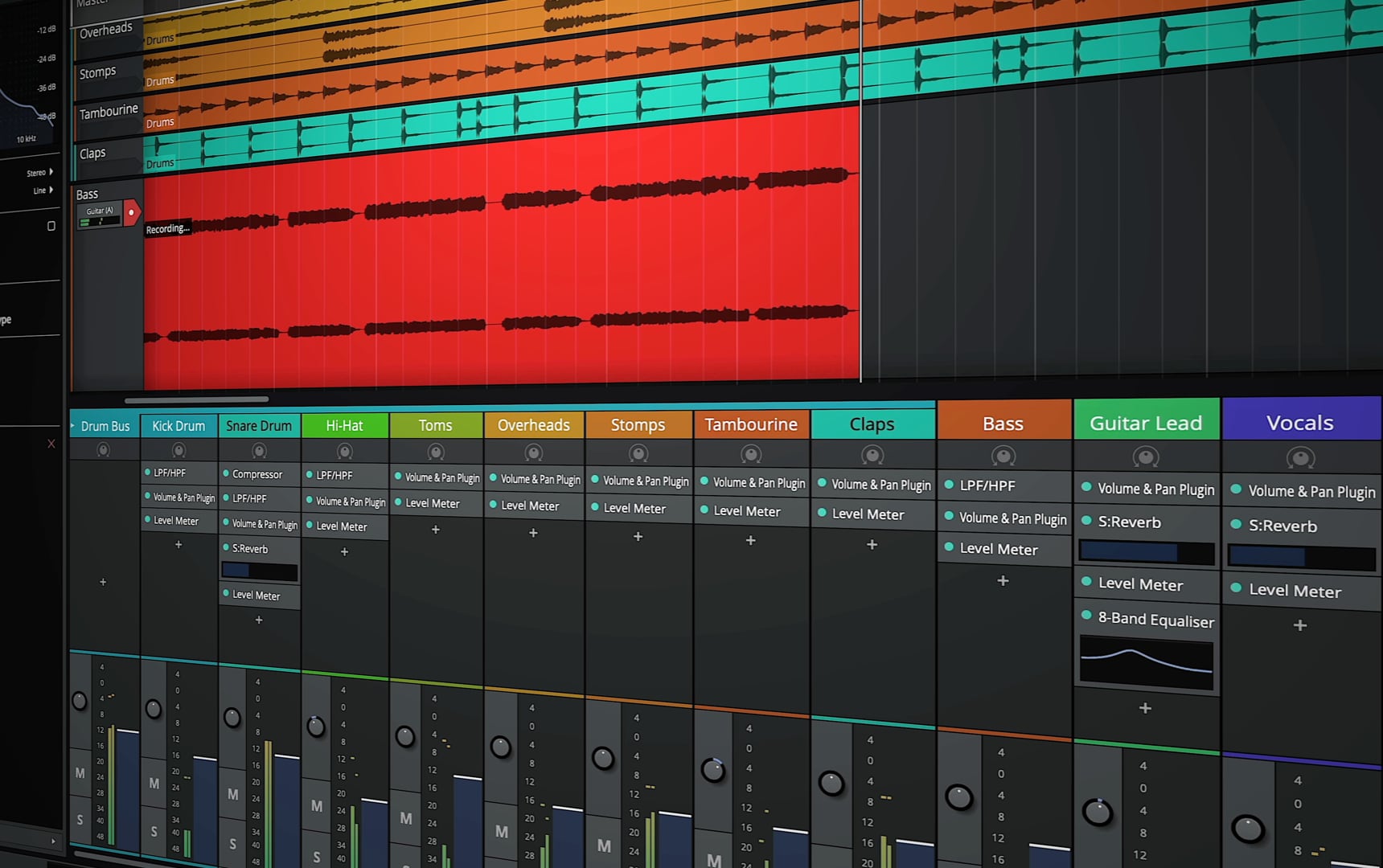
Traktion-Free

A lot of free DAWs are either too limited, too stripped down, or too obviously designed to annoy you into paying for the upgrade. Waveform Free is one of the few that still feels like a serious piece of music software, which is why I would keep it as the best free DAW in 2026.

Tracktion’s approach has changed over time. It is no longer just an older full version given away for free. The current model is a bit more modular. But the important part is this: the free version is still genuinely useful, and it still gives you far more than most “free” DAWs do.

Waveform Free has a modern interface, unlimited audio and MIDI tracks, support for third-party VST plugins, and enough built-in effects and instruments to make real music without instantly hitting a wall. That is what makes it stand out. A free DAW should not just let you open a project. It should let you finish one.

It also includes some features that are surprisingly generous at this price, mainly because the price is zero. You still get comping, looping, retrospective recording, and video support, which makes it more capable than a lot of so-called free DAWs that are really just restricted demos.

That said, I would not pretend it is perfect. Waveform Free is not the most beginner-friendly DAW in the world. The interface is cleaner than it used to be, but it can still feel a little technical at first, especially if you are brand new to recording software. It is powerful, but it is not quite as instantly welcoming as something like GarageBand.

The modular upgrade system is also a mixed bag. In theory, it is smart because you can add only the features you want. In practice, some people will probably find it simpler to either stay with the free version or eventually jump to the paid one. Still, that is a much smaller complaint than the usual compromises you get with free music software.

If you have no money to spend and want a DAW that still lets you record, edit, mix, and actually improve, Waveform Free is one of the safest recommendations out there. And once you start adding more plugins or virtual instruments, it becomes even more useful as a long-term setup rather than just a temporary freebie.

Pros & Cons

  • Actually free and still genuinely capable
  • Unlimited audio and MIDI tracks
  • Supports third-party VST plugins and virtual instruments
  • Cross-platform support is a real advantage
  • More powerful than most people expect from a free DAW
  • Learning curve is steeper than some beginner-first DAWs
  • The modular add-on system is not as clean as a simple free-versus-paid split
  • Included content is useful, but not especially exciting

Specs & Details

Version – Waveform Free 13.5
Platform – Windows, macOS, Linux, Raspberry Pi
Windows – Windows 10/11, 64-bit, Intel or AMD
macOS – macOS 10.15 or later, 64-bit, Intel or Apple silicon
Linux – Ubuntu 20.04 64-bit
Raspberry Pi – Raspberry Pi 3 Model B, 64-bit
Tracktion.com

Alternatively, the next best is

Cakewalk Sonar. It is a stronger fit for Windows users who want a more traditional studio DAW layout and a classic multitrack workflow, but Waveform Free remains the better all-around cross-platform free recommendation.
Cakewalk.com

Best DAW for Beginners

Best DAW for Beginners: Apple GarageBand

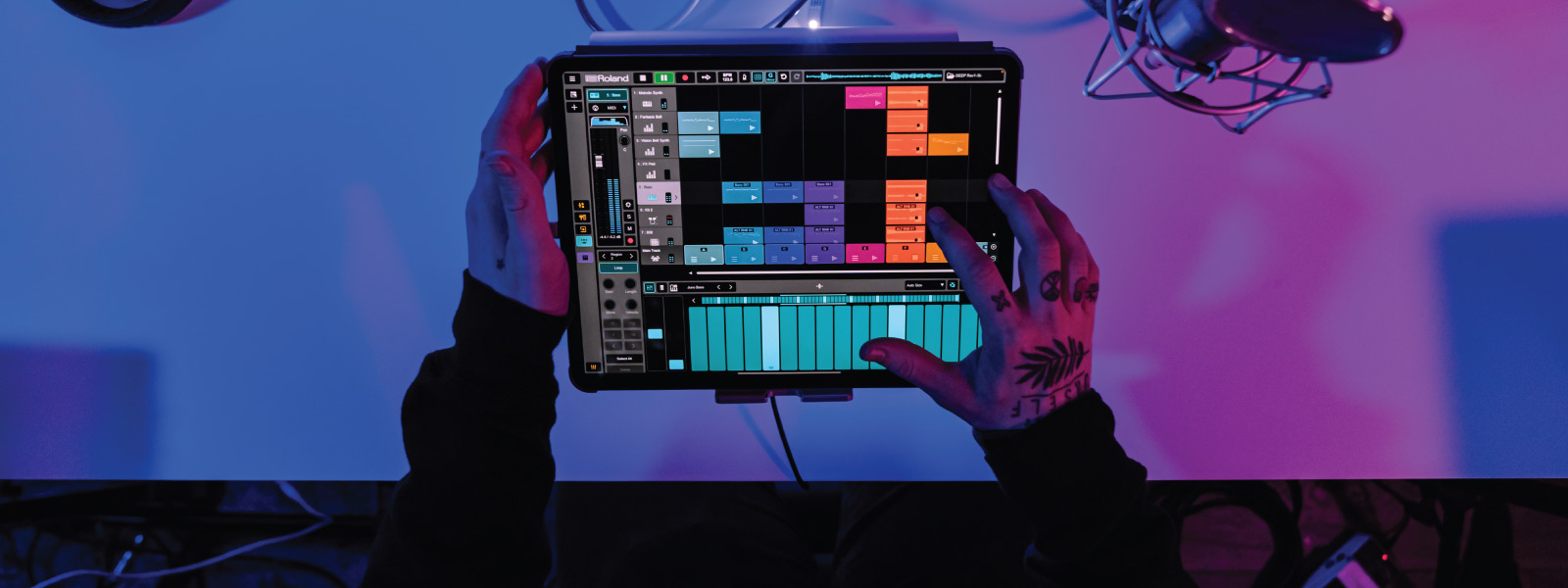
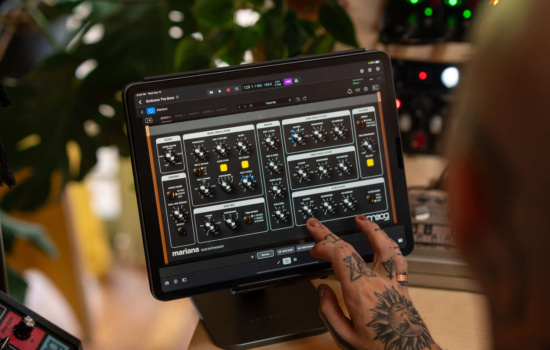
Roland Zenbeats DAW being used on a tablet device held by two tattooed hands

For beginners, I would no longer give this category to Roland Zenbeats. In 2026, the best DAW for beginners is GarageBand.

The reason is not that GarageBand is the most powerful DAW. It is not. The reason is that it gets the important part right: it makes starting feel easy instead of intimidating. A beginner does not need the deepest feature set on day one. They need software that helps them record something, build something, and stay interested long enough to keep going.

GarageBand is still one of the cleanest entry points into music production. It is free on Apple devices, the interface is friendly, and it comes loaded with enough instruments, loops, amp sims, and effects to let someone make real music without immediately shopping for extra gear or plugins. That makes it a much better first stop than a lot of “serious” DAWs that bury new users in options before they even hit record.

It is also flexible in a way that beginners usually appreciate. You can use it to make beats, sketch songs, record vocals, layer guitars, build arrangements, and learn the basic logic of a DAW without feeling like you are studying for an exam. If you are just getting your home recording setup together, that matters a lot.

Another reason GarageBand wins is that it teaches habits that transfer well. If you eventually move up to Logic Pro, the transition is much smoother than jumping from some random starter app into a full professional DAW. So it is not just easy, it is also a smart on-ramp.

That does not mean GarageBand is perfect. The obvious downside is that it is Apple-only. If you are on Windows or Android, this recommendation does not help you much. And if your goal is very specifically mobile beat-making across lots of different devices, Zenbeats still has a place. But for the average beginner who wants the least painful path into recording and production, GarageBand is the stronger answer now.

It also helps that GarageBand does not feel cheap or toy-like. It is simple, but not flimsy. You can still make surprisingly polished music in it, especially when you start learning how a DAW actually works and how to build songs from loops, MIDI, and audio recordings. And if you are focused on rhythm-first production, our guide on how to make beats fits nicely alongside it.

Zenbeats is still worth mentioning because it works across more platforms and has a touch-friendly design that some beginners will like. But as a broad recommendation, GarageBand is the better beginner DAW because it is easier to stick with, easier to understand, and more likely to help someone actually finish their first track.

Pros & Cons

  • Free on Apple devices
  • Easy to learn without feeling dumbed down
  • Strong built-in sounds, loops, amps, and instruments
  • Excellent entry point before moving up to Logic Pro
  • Good for songwriting, beat-making, and basic recording
  • Apple-only
  • Less depth than full pro DAWs
  • Advanced editing and routing are more limited

Specs & Details

Version – GarageBand for Mac and GarageBand for iOS/iPadOS
Cost – Free
Platform – macOS, iOS, iPadOS
macOS – Included with Mac or available as a free Apple app
iPhone/iPad – Free on compatible iPhone and iPad devices
Apple.com

Alternatively, the next best is

Roland Zenbeats. It is more flexible across platforms, touch-friendly, and still a good choice for mobile-first beginners, but GarageBand is the easier and stronger all-around starting point for most new users.
Roland.com

DAWs and Artificial Intelligence

Artificial intelligence is no longer some vague future concept in music software. It is already built into a growing number of DAWs and plugins. But the reality is a lot less dramatic than the hype. In 2026, AI inside a DAW is mostly about speeding up useful tasks, not replacing the musician.

The most genuinely helpful uses right now are things like stem separation, smarter audio repair, flashback-style capture, transcription, and assistive mixing or mastering tools. These features can save time, help you recover ideas you would have lost, and make certain technical jobs less tedious. That is real progress. But it is not the same thing as software magically making meaningful music for you.

Apple Logic Pro is a good example of where things are going. Its Stem Splitter can pull vocals and instruments apart from a mixed file, and Flashback Capture can rescue a performance you forgot to record. Steinberg Cubase 15 has also added AI-powered stem separation, which is useful for remixing, rebalancing, and sampling. These are the kinds of AI features that actually matter because they fit into real workflows instead of feeling like a gimmick.

There are also AI-assisted plugins that can help with mastering, balancing, cleanup, and other technical tasks. Some of them are genuinely impressive. But they still tend to work best when they are being supervised by someone who knows what they are listening for. That is the part people keep forgetting. A tool can suggest, separate, analyze, and speed things up. It still does not replace taste.

That is why I would not choose a DAW just because it says “AI” somewhere on the product page. Most of the useful AI features are becoming part of a bigger pattern: DAWs are getting better at helping you move faster, recover mistakes, and try ideas more easily. That is good. But the actual music, the judgment, and the emotional point of the track still come from you.

So yes, AI is now part of modern music production. But it is best understood as an assistant, not an artist. The better your understanding of your DAW, arrangement, sound selection, and mixing decisions, the more useful these tools become. If you do not know what you are doing, AI can just help you make polished bad choices faster.

Analog vs. Digital: How Technology Is Shaping Modern Music Production

In one studio, a Producer is running audio through tape, outboard gear, and a mixing desk, leaning into the color and unpredictability of an analog workflow. In another, a Producer is building a track entirely inside a laptop, swapping ideas online, recalling mixes instantly, and finishing songs with a level of speed that would have been unthinkable a few decades ago.

That contrast still sits at the heart of one of music production’s oldest arguments: analog versus digital. And even though digital tools now dominate modern recording, the debate has not gone away. It has just become more nuanced.

Analog recording still appeals to people who want texture, saturation, imperfection, and a sense that the sound has passed through something physical. Tape, consoles, and hardware can add character in ways that feel musical rather than clinical. For some artists and Engineers, that is not nostalgia. It is part of the sound they are chasing.

Digital production, on the other hand, offers flexibility, precision, affordability, and speed. You can record, edit, arrange, mix, revise, and collaborate from almost anywhere. A modern DAW gives musicians access to tools that once required a major commercial studio, and that shift has fundamentally changed who gets to make polished, professional music.

That is why this is no longer a simple “which is better?” conversation. For most Producers today, the real answer is both. You might track through analog preamps, compress with hardware, and then edit and mix digitally. Or you might stay fully in the box but use plugins designed to capture some of the color and behavior of older analog gear. Modern music production is less about choosing sides and more about choosing the right tools for the result you want.

Cloud-based workflows have pushed things even further. Songs can now be written, shared, revised, and finished across cities, countries, and time zones. That kind of collaboration would be painful or impossible in a purely analog environment. Digital technology has not just changed the sound of music production. It has changed the speed, scale, and accessibility of the creative process itself.

So the analog-versus-digital debate still matters, but not in the old tribal way. Analog still offers character. Digital still offers control. The interesting part of modern music production is how often the best results come from combining both.

Analog Recording: Warmth, Color, and Commitment

Analog recording captures sound as a continuous signal stored on physical media, whether that is magnetic tape, vinyl grooves, or circuitry inside older hardware. Part of its appeal comes from the fact that it does not behave perfectly. Tape can saturate, transients can soften, noise can creep in, and certain pieces of gear add color in ways that feel musical rather than transparent. That is why people often describe analog recordings as warm, thick, or alive.

Some of that language gets romanticized, but the underlying point is real. Analog gear often introduces subtle distortion, compression, and harmonic content that can make a recording feel fuller or more textured. A tape machine pushed hard does not respond the same way as a clean digital input, and that difference can be part of the sound people are after.

Analog also changes the workflow. Tape machines, vintage synths, and outboard gear demand a more physical, hands-on process. You are turning knobs, patching signals, committing to sounds, and making decisions earlier. For some musicians and Engineers, that creates a stronger connection to the music. It can also force a level of focus that is easy to lose in a digital setup where everything can be edited later.

That is one reason analog still has a place in modern music production. It is not just about nostalgia. It is about character, limitation, and the way certain tools push people toward decisive performances. When you do not have endless tracks, endless undo, and endless revisions, you often work differently. Sometimes that leads to better results. Sometimes it just leads to more pressure. Usually it is a bit of both.

Even now, analog remains influential well beyond fully tape-based studios. Producers still use hardware compressors, preamps, tape machines, modular synths, and vintage drum machines because they like what those tools do to sound and to the creative process. In genres like rock, jazz, soul, and lo-fi, that can be a major part of the aesthetic. In more digital genres, analog gear is often used more selectively to add edge, texture, or unpredictability.

Pros of Analog:

  • Can add warmth, saturation, and harmonic character that many people find musically pleasing.
  • Hands-on workflow can encourage focus, experimentation, and stronger creative decisions.
  • Certain analog gear brings a tone and behavior that plugins still imitate because people want that sound.

Cons of Analog:

  • Gear, tape, and maintenance can get expensive fast.
  • Editing, recall, and revision are much slower than in a digital workflow.
  • Noise, wear, and technical limitations are part of the format, not a bug you can fully remove.

Digital Recording: Precision, Speed, and Flexibility

Digital recording converts sound into data, capturing audio as a series of samples that can be stored, edited, copied, and recalled with extraordinary accuracy. That shift changed music production completely. Once recording moved into computers, the studio stopped being a physical place and started becoming a workflow.

The biggest strength of digital recording is control. A clean digital recording can capture a performance with impressive clarity, and once it is in the system, you can duplicate it, edit it, process it, and back it up without the gradual loss that comes with copying analog formats. That reliability is one of the main reasons digital became the standard.

Modern music production now revolves around DAWs, which put recording, editing, mixing, virtual instruments, automation, and effects inside one environment. That convenience has dramatically lowered the barrier to entry. A musician with a decent computer, an audio interface, and the right software can now make polished work from a bedroom, a tour bus, or a temporary setup on the road.

Digital recording also changes what is possible creatively. You can stack huge numbers of tracks, save alternate versions, automate tiny changes, fix timing, tune vocals, and reshape arrangements without touching a razor blade or resetting a mixing desk. Some of that flexibility is liberating. Some of it can also become a trap. When everything is editable, it becomes easier to keep tweaking instead of finishing.

That is really the tradeoff. Digital gives you precision, speed, and convenience on a level analog never could. But it also gives you endless options, and endless options are not always good for creativity. The best digital workflows are usually the ones where the technology stays out of the way and helps you move quickly instead of tempting you to second-guess every decision.

For most modern Producers, digital is not just the default because it is cheaper or easier. It is the default because it is flexible enough to handle almost any genre, recording situation, or level of experience. Whether you are making beats, recording a band, editing dialogue, or mixing a full arrangement, digital tools have made high-level production far more accessible than it used to be.

Pros of Digital:

  • Clean, consistent audio capture with strong dynamic range and no built-in noise unless you add it on purpose.
  • Extremely powerful editing, arrangement, and processing tools with no generational loss from copying files.
  • Far more affordable and accessible than building an equivalent analog studio.

Cons of Digital:

  • Can sound a little clinical or flat if the production choices are too clean or overly corrected.
  • Depends on computers, software, storage, and file management, which introduces technical headaches of its own.
  • The sheer number of tracks, plugins, and editing options can slow people down instead of helping them finish.

Analog vs. Digital: Key Differences in Today’s Studio

The real difference between analog and digital is not just about sound. It is also about workflow, flexibility, and what kind of tradeoffs you are willing to live with. Analog often wins on character and tactile experience. Digital wins on speed, recall, and practicality. Most modern studios lean heavily digital, but plenty of Producers still bring in analog gear when they want more color, texture, or a different way of working.

  • Sound and Tone: Analog gear often adds saturation, harmonic color, soft clipping, and small inconsistencies that many people hear as warmth or depth. Digital recording is usually cleaner and more accurate, capturing sound with far less built-in coloration unless you add it intentionally with processing.
  • Workflow: Analog workflows push you to commit earlier. You make decisions, print sounds, and move forward. Digital workflows are much more flexible, with non-destructive editing, unlimited undo, and the ability to save and recall projects exactly as you left them. That is powerful, but it can also make it easier to overwork a track.
  • Editing and Recall: This is where digital clearly dominates. You can reopen a session, restore settings, revise arrangements, and make detailed changes quickly. Analog systems are much slower to revisit because settings have to be recreated manually and edits are far less convenient.
  • Cost and Practicality: Analog setups are usually far more expensive and demanding. Tape machines, consoles, and outboard gear require maintenance, space, and ongoing care. Digital setups are more compact, affordable, and realistic for most home and project studios.
  • Creative Feel: Some people work better with physical gear because it feels more immediate and less screen-based. Others get more done in a DAW because it removes technical obstacles and keeps the entire production process in one place. Neither approach is automatically better. It depends on how you like to create.

In practice, most musicians and Producers no longer treat this as a strict either-or choice. A common modern setup is to record, edit, and mix digitally while using analog gear where it adds something meaningful. That hybrid approach is one of the main reasons the analog-versus-digital debate is still alive: both approaches still offer something the other does not.

The Cloud Era: Collaboration Without Boundaries

One of the biggest shifts in modern music production is not really analog versus digital. It is what digital recording can do once cloud-based collaboration enters the picture. Music no longer has to be made in one room, in one city, or even on one schedule.

In the past, collaboration usually meant getting everyone into the same studio or constantly sending files back and forth. Now, artists, Producers, and Engineers can share projects, upload stems, leave feedback, and in some cases even work together live from different locations. That has changed how songs get written and finished.

Some of the clearest examples are browser-based platforms like Soundtrap and BandLab. These tools are built around online creation and remote teamwork, making it easy to record, arrange, and collaborate without everyone needing the same computer setup or even the same operating system. That kind of accessibility is a big reason cloud-based workflows have become more normal, especially for demos, songwriting, and fast-moving collaborations.

Cloud tools also show up in less obvious ways. Splice, for example, is not a full collaborative DAW in the same sense, but it has become part of the cloud workflow for a lot of Producers through sample access, project support, and tighter DAW integration. In other words, the cloud is not just about people editing the same song together. It is also about removing friction around sounds, files, revisions, and creative momentum.

Even more traditional DAWs have moved in this direction. Pro Tools still offers cloud collaboration features, and remote review tools have made it much easier for clients to hear changes, approve revisions, and stay involved without sitting in the same control room. That has made music production feel far less tied to geography than it used to be.

The bigger point is that cloud technology has made music production more fluid, global, and collaborative. You can start an idea on one device, send it across the world, get feedback the same day, and keep building without the delays that used to slow everything down. That does not make every session better, but it does make modern collaboration much easier than it used to be.

Bridging the Gap: Hybrid Approaches

In real-world studios, the choice is often not analog or digital. It is both. A lot of modern music production now happens in hybrid setups that combine the speed and flexibility of a DAW with the tone, color, or hands-on feel of analog gear.

A common approach is to track through analog equipment and finish the job digitally. A band might record drums, bass, or vocals through analog preamps, compressors, or even tape, then bring those recordings into a DAW for editing, arrangement, and mixing. That gives you some of the texture and character people like about analog without giving up the convenience of digital post-production.

The opposite approach also happens all the time. Some Producers work almost entirely in the box, then run sounds or full mixes through analog hardware at key stages. That might mean using a hardware compressor on vocals, sending drums through saturation, or passing a mix through analog summing or bus processing to add a bit of depth, density, or movement before printing the final version.

Hybrid production can also be much smaller and simpler than people think. It does not have to mean owning a giant console or a tape machine. It can be as basic as pairing a DAW with one good preamp, one hardware compressor, a few guitar pedals, or a favorite synth. The point is not to build a museum. It is to use hardware where it adds something meaningful and stay digital where digital is clearly faster and more practical.

This is one reason hybrid workflows have stayed popular. Analog gear can add color, limitation, and a more tactile creative process. Digital tools bring editing precision, total recall, automation, easy collaboration, and efficient file management. Put together intelligently, they can complement each other extremely well.

Even software reflects this blend. There are countless plugins designed to emulate tape machines, consoles, tube gear, and classic hardware processors because so many Producers want some of that analog behavior inside a digital workflow. At the same time, modern hybrid studios increasingly include gear and consoles built specifically to integrate with DAWs rather than compete with them.

That is really the modern answer to the analog-versus-digital debate. Most people are no longer choosing one side and rejecting the other. They are building workflows that borrow the best parts of both. Analog can add personality. Digital keeps the process efficient. And when the balance is right, the result can feel both polished and alive.

Conclusion: Finding Your Sound

In the end, the analog-versus-digital debate is not really about declaring a winner. It is about knowing what each approach does well and choosing the tools that help you make better music.

For some artists, analog is part of the sound and part of the process. Tape, hardware, and older workflows can push performances in a certain direction and add a kind of color that feels hard to fake. For others, digital offers exactly what they need: speed, flexibility, portability, and the ability to record, edit, and mix at a level that used to require a major studio.

Most modern Producers do not work in extremes anyway. They use digital where it makes life easier and bring in analog where it adds something meaningful. That might mean tracking through hardware, mixing in a DAW, using analog-style plugins, or combining all of the above. The lines are blurred because the workflow is no longer the point. The result is.

And that is what matters most. Listeners respond to emotion, energy, tone, and taste far more than they respond to whether something was recorded to tape or assembled on a laptop. The technology matters, but only up to a point. It is there to support the music, not to become the music.

So the real goal is not to chase analog purity or digital perfection. It is to understand your options, trust your ears, and build a process that helps you create something people actually feel.

Best for iPad

Apple Logic Pro

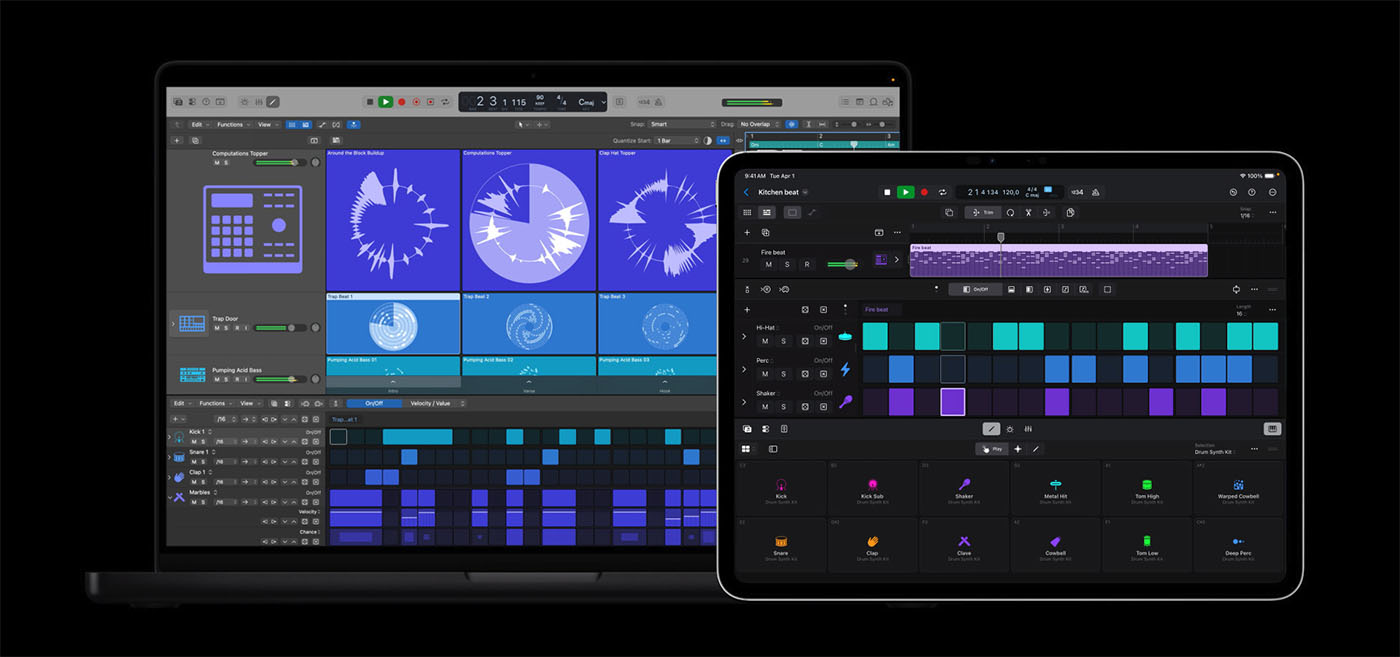
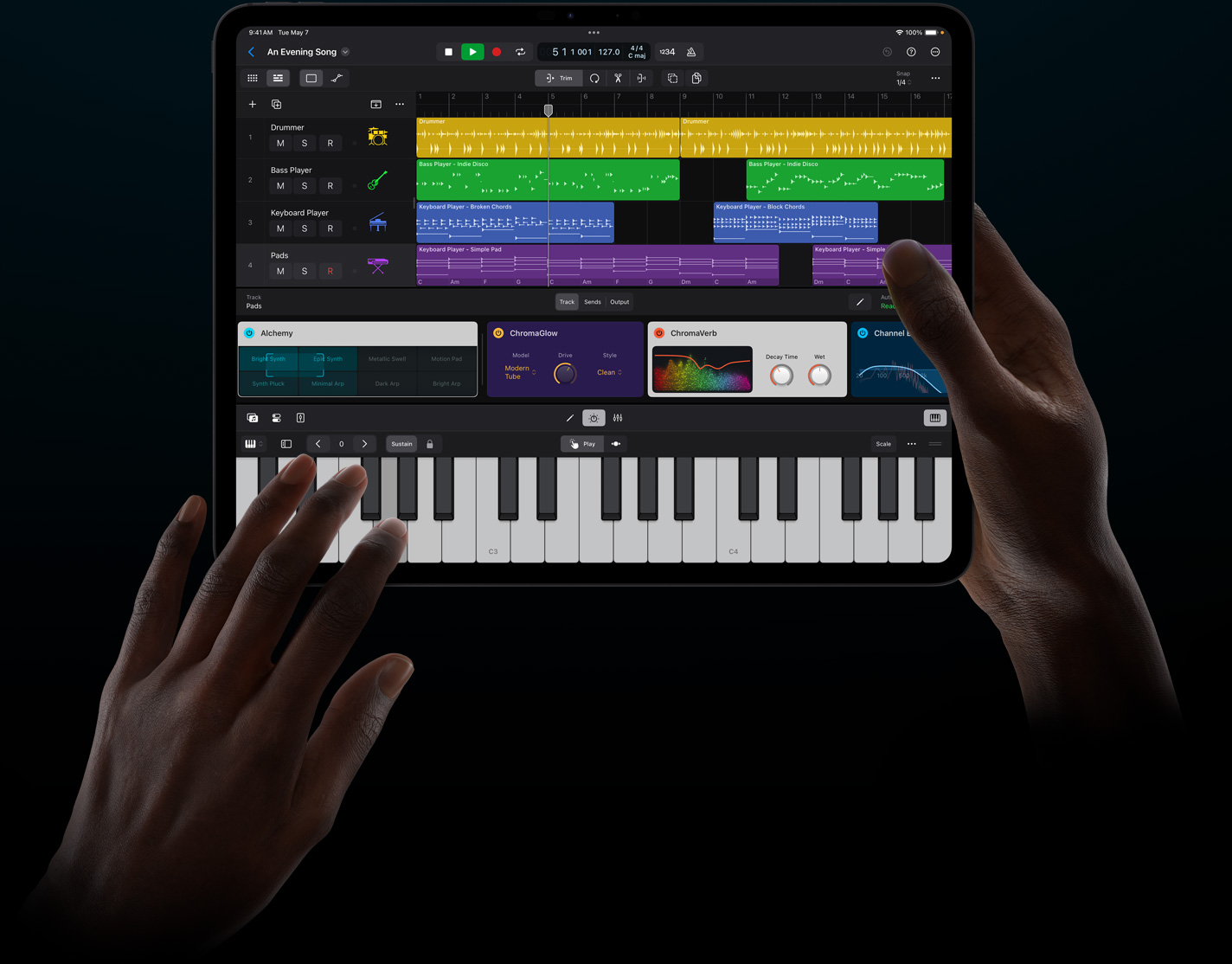
Logic Pro running on an iPad being held by two hands

Once you get into Apple’s iOS ecosystem, you can’t do better than Apple’s own fully featured DAW, Logic Pro. Logic Pro has been a solid choice on desktop for many years and now the iPad version offers a similar depth of features within the limitations of iPad processing.

It has lost some if the more advanced tools, but it’s also brought in some unique features like the AI-powered studio assistants and multi-touch support. However, on the whole, you get the full Logic Pro experience on a compact and creatively interactive platform and is regarded as music production software for making professional tracks.

Logic Pro gives you two ways to play: in the Live Looper environment or in the timeline/arranger. Either way, you can plug in real and virtual instruments and record and edit live audio and MIDI through a touch-easy interface.

If you’re looking for inspiration, you can call up “Session Players, ” an AI-driven accompaniment system where you can invite a bass player, keyboard player, or drummer to play along with you. They say it can create incredibly lifelike and nuanced performances, but at the very least, it could give you some ideas to take you forward.

Other interesting tools include the ability to split mixed audio into four stems, which can be really useful for isolating samples, reworking old ideas or building on unfinished tracks.

It has pitch correction for sorting out your vocals or other instrument tuning issues, a bunch of vintage-style effects that give your music a classy feel, and a mastering section to add those finishing touches. It comes with a good range of virtual instruments, although not all the ones from Logic Pro on the desktop, and supports additional AU plugins.

The redesign of Logic for the iPad shouldn’t be underestimated. All the plugins have been worked into easy-to-access tiled versions; you have an on-screen keyboard, an adaptable mixer and finger-friendly editing tools. Apple is not expecting you to compromise or buy additional gear to use all the features.

It really is brilliantly implemented, provided you can work within the power of the iPad.

Pros & Cons

  • A professional DAW on the iPad
  • Elegant touch interface
  • Those Session Players are remarkably good
  • Support for third party plugins
  • Some of the desktop features and instruments are missing
  • Limited by the power of the iPad
  • Only available as a subscription

Specs & Details

Version – Logic Pro 2.1
Cost – $4.99 a month or $49 annually
Platform – iPad only
iPadOS 18.1 with A12 Bionic chip or later
Apple.com

Alternatively, the next best is

Steinberg Cubasis 3. Audio and MIDI recording, editing and mixing with great plugins, virtual instruments and great hardware and third party plugin compatability for a one-off payment of $29.99.
AppStore

“I record everything on Logic Pro.” — FINNEAS, Grammy-winning producer and songwriter4
"I say that Logic is great for programming synths and doing MIDI, and then people who do non-song form stuff, like dance music and where they want to be spontaneous." — Gordon Raphael, engineer and producer (The Strokes, Regina Spektor)

Best for Sound-to-Picture

AVID Pro Tools

Avid Pro Tools running on a computer screen in a studio environment

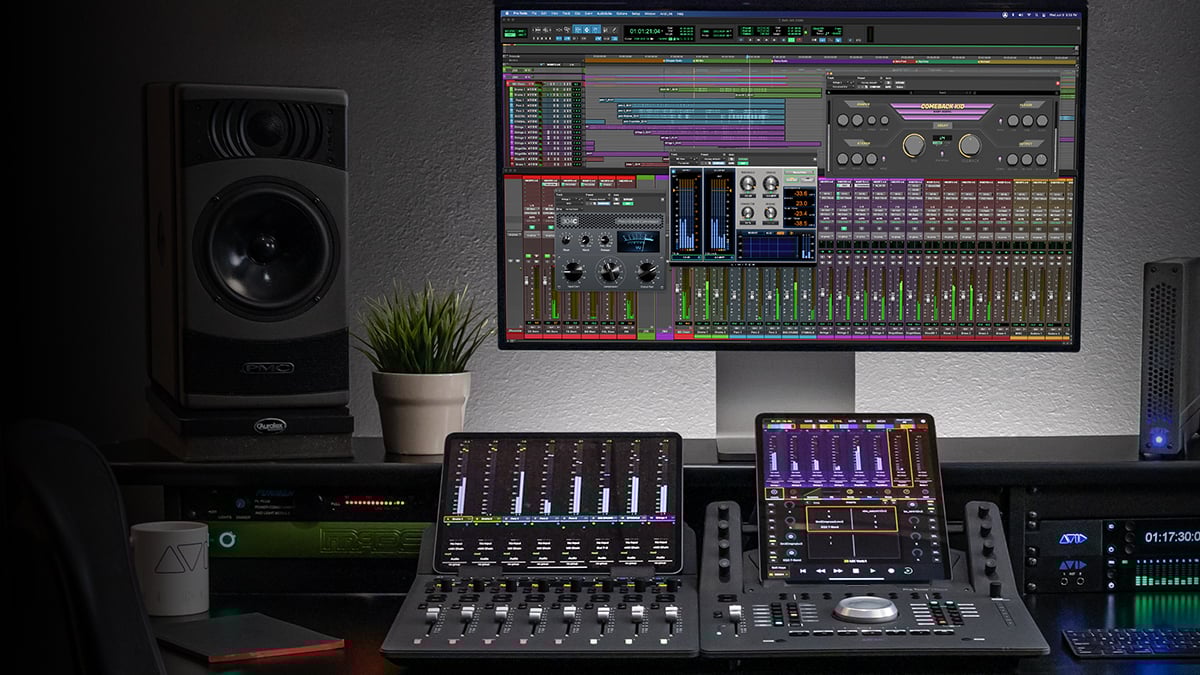
You will find Pro Tools from Avid running in almost every production house and studio. It is the standard when it comes to professionals working in the film industry.

Its speed, the layout and its ability to handle huge, complex projects are probably what people rely on the most. And that’s a big part of it – reliability.

In a professional situation, your software has to work day in and day out, have rock-solid connections to hardware and be able to come up with the goods in the format the movie makers understand.

First of all, Pro Tools seamlessly integrates with video timelines in high resolutions and with surround sound and 3D spatial audio. It has perfect synchronisation tools and can even import video editing sessions from Media Composer.

Once the video is in your system, you will have pinpoint accuracy of clip and event placement and a whole bunch of editing features available on each clip. And that can be thousands of clips in hundreds of folders, held together in complex projects onto which you can apply macros and scripting to automate common tasks.

This is not about fiddling with a few tracks and creative ideas; it is mapping out entire movies with sound design, foley, soundtrack, and effects.

From an audio perspective, Pro Tools comes with over 120 plugins and a large sound library that can be expanded via Sonic Drop.

It has a remarkably diverse range of virtual instruments that include beat-making, symphonic elements, pianos, synths and sampled instruments. It supports ARA 2 for integrated audio processing from Melodyne and other compatible plugins.

Pro Tools has always favoured the single window approach where all the editing is done directly on the timeline rather than in a separate window. This makes it very fluid and easy to navigate.

However, Avid recently added the Sketches loop-based clip launcher that adds a different level of play and creativity to an environment that’s sometimes a bit too serious.

Along with Dolby Atmos, MPEG-H and Ambisonics integration, you can also bolt in the Sibelius scoring system to turn it into a digital workstation for film scoring if you prefer working directly with notes, composers and orchestras. A

t the end of the project, Pro Tools has the right technology to deliver it for theatrical release, Netflix, streaming, gaming, or wherever it has to go.

Pros & Cons

  • Industry standard sound-to-picture solution
  • Supports multiple video tracks and formats
  • Can handle huge projects
  • Precise editing
  • Sound design playground
  • Needs a professional level of understanding
  • Not as many creative tools as other DAWs
  • Can get expensive with proper hardware requirements

Specs & Details

Version – Pro Tools 2024.10 – Studio and Ultimate – Subscription
Studio – $199 p.a. 512 audio track, 1 video track, 120 plugins, immersive mixing
Ultimate – $399 p.a. 2048 audio tracks, 64 video tracks and everything else.
Platform – Windows and macOS
Windows – 10/11 22H2, 64-bit, Intel Core i3, 8GB RAM, 15GB HDD
macOS – macOS Sequoia 15.1, macOS Sonoma 14.7.x, Ventura 13.7.x, or Monterey 12.7.x, M1, M2, M3, dual Core i5, 8GB RAM, 15GB HDD
Avid.com

Alternatively, the next best is

Steinberg Nuendo. A high-end version of Cubase designed for post-production and sound-to-picture. It has the editing power and surround sound capabilities wrapped up in a friendly and compatible interface.
Steinberg.net

Grammy award-nominated engineer Dana Nielsen says you need to “figure out what your DAW is,” and he highly suggests using Pro Tools because it’s what pretty much all the professional recording studios use. He said even Pro Tools Intro is a good place to start.

Best for Experimental

Bitwig Studio

Bitwig Studio screenshot

Not everybody wants to use a DAW to record bands, write songs or compose music in a straight line.

For some people DAWs are all about harnessing the computer to manipulate sound and unlock the imagination within the machine. For that, you might need to move away from the straight-laces of emulated studio software and enter a more experimental space.

I believe this environment is best explored within the realms of Bitwig Studio which is the best DAW alternative for Windows or Mac.

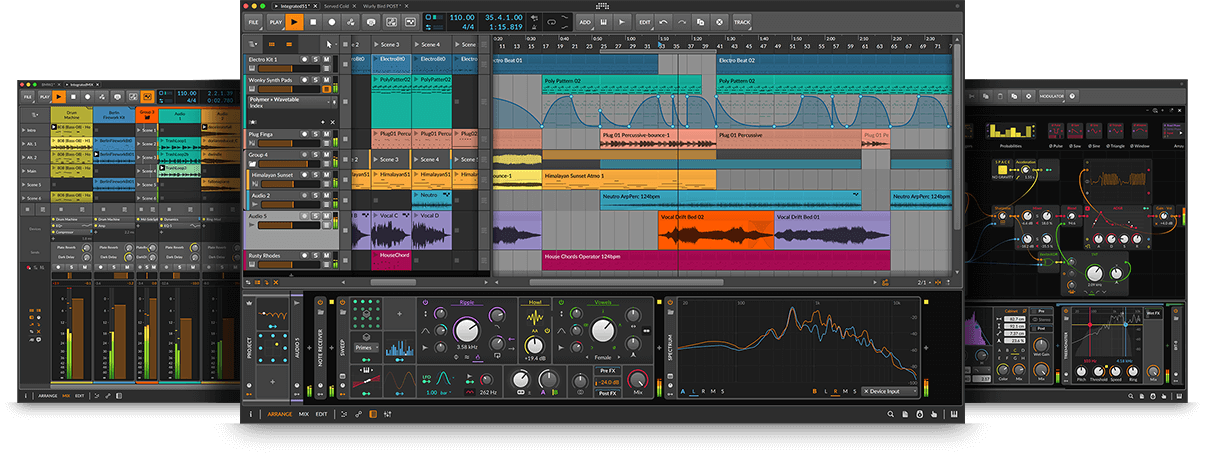
Bitwig Studio can work like any other DAW. It has the timeline, the audio tracks, the MIDI editing, patterns, loops and clip launching, along with effects and processing. However, the way it’s designed is extremely modular, which means you can reorder processes and make modulation connections in pretty much any way you wish.

Every track can have a cascade of signal or MIDI processing which can be shuffled into endless combinations. It allows you to build up complex networks of sound that is being pulled and effected in very experimental ways.

Once your devices are interacting, then you can use the powerful modulation engine to manipulate and automate any parameter.

You have dozens of modulation options, from common LFOs to envelope followers, sequencers, voltage scalers, quantizers and logic. These can be combined and spread throughout your compositions to produce the organic unfolding of synthesis and sound processing.

Within the devices is an environment called The Grid where you can build entire synthesizers, route together signal adventures and discover new ways to produce melody, rhythm and movement. It’s an immensely powerful and visual technology that offers limitless possibilities for people wanting to experiment with sound and musical ideas.

Bitwig Studio can be playful and interactive at one level and deeply exploratory at another, making it a perfect place for sound design and unusual journeys.

Pros & Cons

  • Unlocks your experimental side
  • Powerful modulation system
  • Build synths and processes in The Grid
  • Very open plugin and project sharing format
  • Sound design adventure playground
  • Doesnt have some of the deeper studio facilities
  • Has a visual flair that’s not to everyone’s liking

Specs & Details

Version – Bitwig Studio 5.2.7
Cost – $299 with 12 months of upgrades
Platform – : macOS, Windows and Linux
macOS – 10.15, 64-bit Intel or Apple Silicon, 4GB RAM, 12GB HDD
Windows – 10/11, Dual core AMD or Intel, 4GB RAM, 12HG HDD
Linux – Ubuntu 22.04, 64-bit dual-core x86, 4GB RAM, 12GB HDD
Bitwig.com

Alternatively, the next best is

Ableton Live. Bitwig and Live share a similar approach to devices and chains of processing. Max 4 Live is an add-on that unlocks the modular and programming potential of Live into more experimental areas.
Ableton.com

Best for Scoring

Steinberg Cubase 15

Cubase Score Editor open on a screen, seen from behind a man

There are several dedicated scoring solutions that will deal very precisely with notational needs, layout, publishing and writing scores.

However, there are a few DAWs that have excellent scoring facilities built in. If you are working with MIDI and audio but also need to work with musical scores within the same context then you should be looking at Cubase 15 from Steinberg.

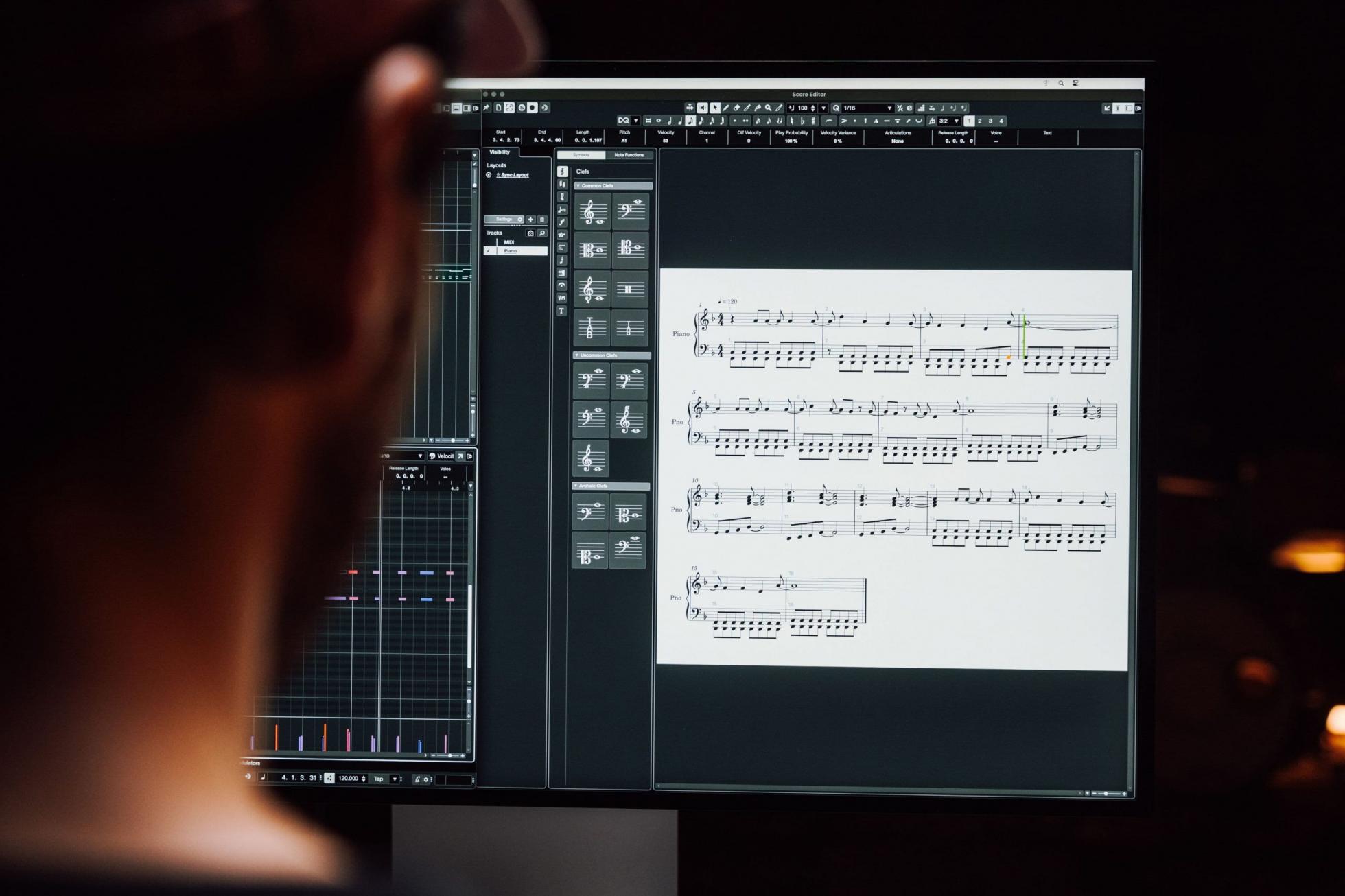
Steinberg makes a piece of dedicated scoring software called Dorico, and the scoring engine within Cubase is based on the same technology. It’s integrated into the MIDI editor, providing you with a powerful notation-based environment in which to edit and visualise your music.

Within the Cubase Score Editor, you can pull MIDI tracks apart and render them into a beautiful-looking score.

You can create parts, pull out instrument scores and produce a conductor overview from the MIDI parts you already have within Cubase.

It will automatically translate your performances into properly defined musical events and put in the correct spacing, layout, annotations and markings that musicians would expect to see. This includes voicing and transposition based on the instrument type defined for that track.

You are free to edit the score directly on the page with all the note values and symbols at your disposal. You can add lyrics that link syllables to notes or chord symbols that are reflected in the main Chord Track.

Cubase also lets you annotate the score with hidden signposts that won’t appear in the print but keep you on task in the edit. Tablature and percussion staves are all integrated and defined by the track.

The end result is a professional printout of your music in multiple formats and styles to fit the needs of you and your musicians. While the Score Editor is basic compared to Dorico, it does a fantastic job of integrating this musical view into a DAW.

Pros & Cons

  • Scoring that pulls from all the MIDI tools within Cubase
  • Scoring without having to learn another piece of software
  • High quality layout and printing
  • Instrument transposition and voicing
  • Available in every version of Cubase
  • Not as complete or detailed as dedicated software
  • If you want full layout control then you need Dorico

Specs & Details

Version – Cubase 15 – Pro, Artist, Elements
Cost – Pro 14 – $579.99 Unlimited tracks, 11 Instruments, 92 plugins, 3000 sounds, 20GB samples, Dolby Atmos.
Artist 14 – $329.99 Unlimited tracks, 6 instruments, 66 plugins, 2600 sounds, 20GB samples
Elements 14 – $99.99 Limited track count, 4 instruments, 46 plugins, 1000 sounds, 20GB samples
Platform – Windows, MacOS
Windows – 10/11 22H2, Intel Core i5 (4th gen)/AMD Ryzen, 8GB, 1-80GB HDD
MacOS – Sequoia/Sonoma/Ventura, Intel Core i5 or Apple silicon, 8GB, 1-80GB HDD
steinberg.net

Alternatively, the next best is

Apple Logic Pro. Logic actually evolved from a notation-based origin called Notator Logic and so notation has always been part of the core software. It has a similar level of editing and publishing quality to Cubase but is only available on Apple products.
Apple.com

FAQs

What is a DAW?

A DAW is a piece of software that provides a music-making and recording environment on your computer that mimics, to some degree, a real recording studio.

It stands for Digital Audio Workstation, although it’s not a particularly useful term. A DAW can record sound from microphones, instruments and other live acoustic devices and let you mix them together, add effects, chop out the bad bits and come up with a finished recording of you or your band.

A DAW can also let you create, record, edit or generate MIDI notes that can be directed into all sorts of software or hardware synthesizers and instruments. It’s the pulling together of the sound recording and MIDI creation that provides the basis of the music making platform that is the DAW.

Need more information? Check out our "What is a DAW?" article for deeper detail.

What's the difference between MIDI and audio tracks?

This is something that people often get confused about, and DAWs tend to blur the lines between them, which is very helpful in producing music but less helpful in understanding what’s going on.

When we talk about “audio” we are talking about recorded sound.

If you want to record a band, you put microphones in front of singers, amplifiers, and drum kits, and all of that can be recorded in a DAW as audio. Each microphone can be recorded on its own track, so within the DAW, you have the power to adjust the levels to get the perfect mix of sound.

Once you’ve recorded the sound, you can add effects like delay, chorus, or reverb, or you can edit the audio on-screen to remove mistakes.

The beauty of a DAW is that as you do more takes – more recordings of the band – you can compose a finished song from the best bits of all the takes. You can also apply dynamics and EQ to get the best out of the sound.

It’s also possible to get in deeper and use tools to change the pitch or timing of audio or slice it up and rework it. But the point is that audio is recorded sound.

MIDI, on the other hand, is not sound; it’s data. The data is a list of instructions that can be sent out to hardware or virtual synthesizers, which then play a sound in response.

The MIDI data could simply ask the synth to play a C# note – and it will. The beautiful thing about MIDI is that no sound is being recorded, so you can completely change what is being played without having to go back and re-record a performance.

So, with MIDI you are creating tracks of instructions that your synths and electronic instruments will play. You are free to change which instrument is being used, which sound, and what notes giving you limitless compositional possibilities.

It gets a bit blurred within a DAW because the output of virtual instruments (or software synthesizers), the sound they make, can be mixed alongside the audio tracks from the microphones. You can use the same effects and automation to create your mix without ever having to record the synths as audio tracks.

So, the end result of producing a song is the same; it’s just that the way you got there was different.

More often than not, using a DAW means you are using a combination of audio and MIDI tracks.

For example, you’re recording a vocal and guitar as audio but adding synths and virtual MIDI drums alongside. It’s easy to get confused, so, for instance, when using “samples” on a track, you’re using audio, but if you’re using a sampler to play those samples, then you’re using MIDI. But it’s not that important, provided that music is being made.

I've got the software, what else do I need?

The two core elements of a DAW, MIDI and audio, need slightly different things.

To record audio, you need microphone and line inputs into your computer.

These are best provided through an audio interface. An audio interface is usually a box that connects via USB to your computer and provides the physical connections you need to plug in a microphone, guitar or the output of a mixing desk. It will also give you outputs to plug into your speakers, a headphone output socket and usually some knobs for controlling the level.

An audio interface is a vital piece of equipment for the DAW user, and we have plenty of articles on how to choose the best one for you.

For MIDI, you don’t really need to have any additional gear as you can create and edit MIDI with a mouse.

However, getting a MIDI controller keyboard is going to make your life much easier, even if you can’t play the piano. Having a couple of octaves of keys in front of you makes it far easier to find tunes, play percussion and come up with melodies than a mouse.

Most DAWs have built-in software instruments and synthesizers, but you can also use hardware synths. They may need a USB connection or a MIDI interface to connect to your DAW.

You’ll also need to be able to hear them, as any hardware synth will generate its own sound. If you have an audio interface with many inputs, you could plug your synth directly into those and mix the output through the DAW like a software synth.

Otherwise, you may need a mixer, which will become increasingly useful as your studio begins to grow.

Dana Headshot
Dana Nielsen

Dana Nielsen is a Grammy-nominated mixer, engineer, producer, and multi-instrumentalist with an impressive portfolio that includes work with artists like SZA, Rihanna, Adele, Post Malone, The Smashing Pumpkins, Neil Young, Justin Timberlake, Weezer, The Avett Brothers, Bob Dylan, and Kanye West. Known for his versatility, Nielsen has collaborated extensively with legendary producer Rick Rubin, contributing to projects that span a wide range of genres, from Neil Diamond to Slayer.

Rick Rubin has often relied on Nielsen’s expertise for key projects, like Justin Timberlake’s FutureSex/LoveSounds, Red Hot Chili Peppers’ Stadium Arcadium, and The Smashing Pumpkins’ Shiny and Oh So Bright Vol. 1 (Napalm), which Nielsen recorded and mixed. In 2008, Nielsen mixed Neil Diamond’s #1 album Home Before Dark, and in 2013, he served as an engineer on Black Sabbath’s 13, the band’s first album to top the UK charts in 43 years. More recently, Nielsen has recorded and mixed albums for Santana and The Avett Brothers.

Nielsen has also made appearances on screen, showcasing his engineering talents alongside Rick Rubin and David Letterman in episode 4 (featuring Jay Z) of Letterman’s Netflix series My Next Guest Needs No Introduction. He is also featured in the SHOWTIME series Shangri-LA and the Judd Apatow/Michael Bonfiglio HBO documentary, May It Last: A Portrait of the Avett Brothers.

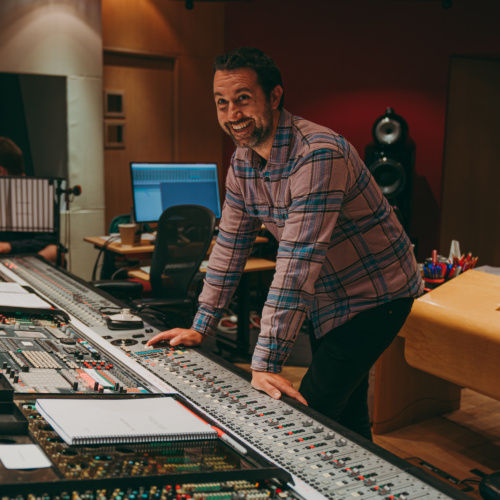
Jason LaRocca
Jason LaRocca

Jason LaRocca, a Grammy-nominated engineer and mixer, is also known as the former singer/guitarist of the acclaimed punk band The Briggs. By the time he was eighteen, the Los Angeles native was already touring the world as a musician, while simultaneously establishing himself as a producer and recording engineer.

Jason’s extensive career spans both film and video game music. He has worked with major movie studios, recording and mixing music for blockbuster films like Bad Boys for Life, Paddington, Aquaman, The Flash, and the Oscar-winning documentary Icarus. His work in the gaming world includes mixing music for popular titles like Fortnite, God of War: Ragnarök, Call of Duty: Black Ops Cold War, Assassin’s Creed Valhalla, among others. True to his multifaceted approach, Jason often goes beyond engineering, producing scores and creating sound design and instrumentation for many of his projects.

In television, Jason’s expertise extends to score recording and mixing for a number of high-profile shows. His TV credits include The Lord of the Rings: The Rings of Power, Little Fires Everywhere, Justified: City Primeval, Fellow Travelers, Locke & Key, The Offer, Black Mirror, and Venom: the Last Dance.

Jason has also worked with top recording artists, including Jay-Z, CeeLo Green, Fiona Apple, ScHoolboy Q, and Serj Tankian of System of a Down, lending his engineering and mixing talents to some of the biggest names in music.

In 2023, Jason earned his first two Grammy nominations — one for his mixing work on the cast album of the hit Broadway musical Sweeney Todd: The Demon Barber of Fleet Street and another for Best Video Game Score for God of War: Ragnarök.

Photo credit: Kevin Matley

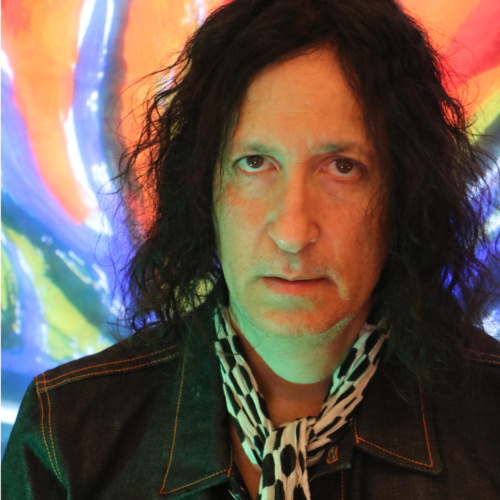
Gordon Raphael
Gordon Raphael

Gordon Raphael, his mom and grandma Minnie knew that big things were possible when he won  a Red Cross sponsored art contest at age six, whilst still in first grade in Pennsylvania. The awar winning painting which was sent around the world, featured a bird house with an entrance and  exit, just like he had observed at his school.

At the age of 13, Gordon quit his traditional piano lessons to join his first (of 33 different) roc roll bands. Stepping onstage and performing at Jr High School dances at earsplitting volumes “sealed the deal” and for the rest of his life Gordon dedicated his time and energies to music; composing, performing, recording and producing during the last 5 decades.

With Sky Cries Mary during the Seattle grunge explosion, great signs of success and satisfaction appeared with several valuable recording contracts and a publishing deal in Beverly Hills (World  Domination Records, Warner Bros Records and Windswept Pacific Publishing Toward the end of this great time for Seattle bands, he moved with his new band partner Ann  Hadlock to New York City to continue his music career and gained a reputation in the East Village as a studio owner and producer-for-hire.

Playing locals shows with his group, Absinthee was very exciting— but when he discovered local  NYC band, The Strokes and produced their first EP and subsequent two albums, things reall took off. Then came the good fortune to meet and produce Regina Spektor for her brilliant Sovie Kitsch album, which was eventually released by Seymour Stein (The Ramones, Madonna) on his  SIRE Records label.

Gordon Raphael relocated to London then Berlin, and finally settled in West Yorkshire, UK in th pursuit of more and more interesting musical opportunities. By now Gordon has recorded 20  albums of his own music, produced over 200 bands, worldwide and as of 2022, became a author  of a book titled, The World Is Going To Love This (Up From The Basement With The Strokes), via  Wordville Press in London.

Believing that art and music are some of the most precious and worthwhile of all human activities, Gordon has championed young musicians and others drawn to creative callings. By nurturing the imagination, and protecting expressive tendencies towards originality and highly individualistic works, he has been cheerfully welcomed as a lecturer, speaker and music producer.

Thor Fienberg
Thor Fienberg

Thor Fienberg is an Emmy-winning recording engineer and mixer working primarily in the film and television scoring world.

Before becoming an Emmy and CAS award-winning mixer for his work on the Apple TV+ series Master’s of the Air, he was producing and songwriting with a publishing deal under Producer John Shanks. He started working at Blake Neely’s Cow on the Wall Studio in 2016 and there he found a passion for engineering and mixing from working with top-tier engineers, such as Jason LaRocca, Greg Hayes, and Scott Michael Smith.

His works range from albums to video games and film works. Credits include: Minecraft Legends, Loki, It Ends with Us, and the upcoming Hulu series Chad Powers.

  1. 1. " PreSonus Studio One ". Equipboard. published: . retrieved on: Feb 10, 2025
  2. 2ZigZag Production Studio. " Deadmau5 Explaining the BEST DAW to Start With (Ableton, FL Studio, Reaper...?) ". YouTube. published: July 26, 2023. retrieved on: Feb 10, 2025
  3. 3Cubase. " Skinny, Arkadi and Zedd | Sneak Preview Sessions Cubase 11 ". YouTube. published: Nov 11, 2020. retrieved on: Feb 10, 2025
  4. 4Variety. " How Billie Eilish & FINNEAS Created Oscar Winning Song 'What Was I Made For?' for 'Barbie' ". YouTube. published: Oct 13, 2023. retrieved on: Feb 10, 2025