Music Career Finder

Start Here:

1.

1. Pick one.

*This question is required.
3.

3. What are you most interested in? Select as many as you like. 

*This question is required.
  • iOS has become a fantastic platform for making music
  • There are synths, samplers, loopers and effects
  • You can plug a whole band into your phone
  • Check out Animoog Z, Korg Gadget, Flip Sampler and Staffpad
  1. Introduction
  2. Moog Animoog Z
  3. Roland Zenbeats
  4. Korg Gadget 3
  5. Apple GarageBand
  6. Andrew Huang Flip Sampler
  7. Steinberg Cubasis 3
  8. StaffPad
  9. Emerging and Underrated iPhone Music Apps Worth Trying
    1. Koala Sampler
    2. Loopy Pro
    3. Moises
    4. BandLab

The Apple iPhone and iPad are a deep well of creative musical possibilities.

While many apps are just for fun, the interface and processing power can be harnessed for some very exciting music making options. The ability to pull yourself away from the desktop or laptop computer into a super-portable and interactive device is so releasing. You can genuinely run what amounts to a little studio on a tablet or phone.

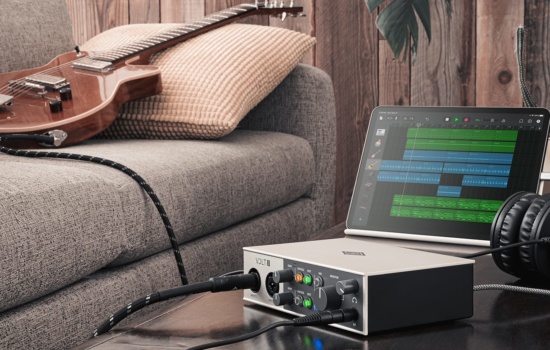
Getting professional sound quality into your iOS device will need some additional hardware, so if recording live vocals or instruments is something you need then check out our other article on audio interfaces for iOS to find the best option.

In this roundup I’ve pulled together some of the best music making apps available on iOS today. Some will only run on the iPad, and some of those would benefit from the extra processing power of the iPad Pro, but you’ll find that you can do amazing things on the humble iPhone. From building and mixing tracks, playing synthesizers and exploring beats; let’s check it out.

Our picks for the 2025’s best music apps for iPhone/iPad include:

  • Moog Animoog Z
  • Roland Zenbeats
  • Korg Gadget 3
  • Apple GarageBand
  • Flip Sampler
  • Steinberg Cubasis 3
  • Staffpad

Moog Animoog Z

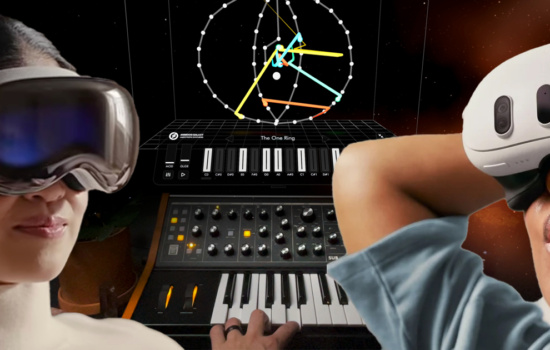
The original Animoog synthesizer was probably the first synth that made people take notice of iOS as a sound generation platform. It was beautiful, interactive, and had the name Moog associated with it. With the new Animoog Z Moog has taken the strength and character of the original and evolved it into something altogether more awesome.

Animoog Z is a 16-voice polyphonic synthesizer that operates within multi-dimensional modulations to help you adventure into unexpected sonic soundscapes. What does that mean? Simply that it sounds awesome and lets you spin and move and push boundaries of how a synthesizer changes over time.

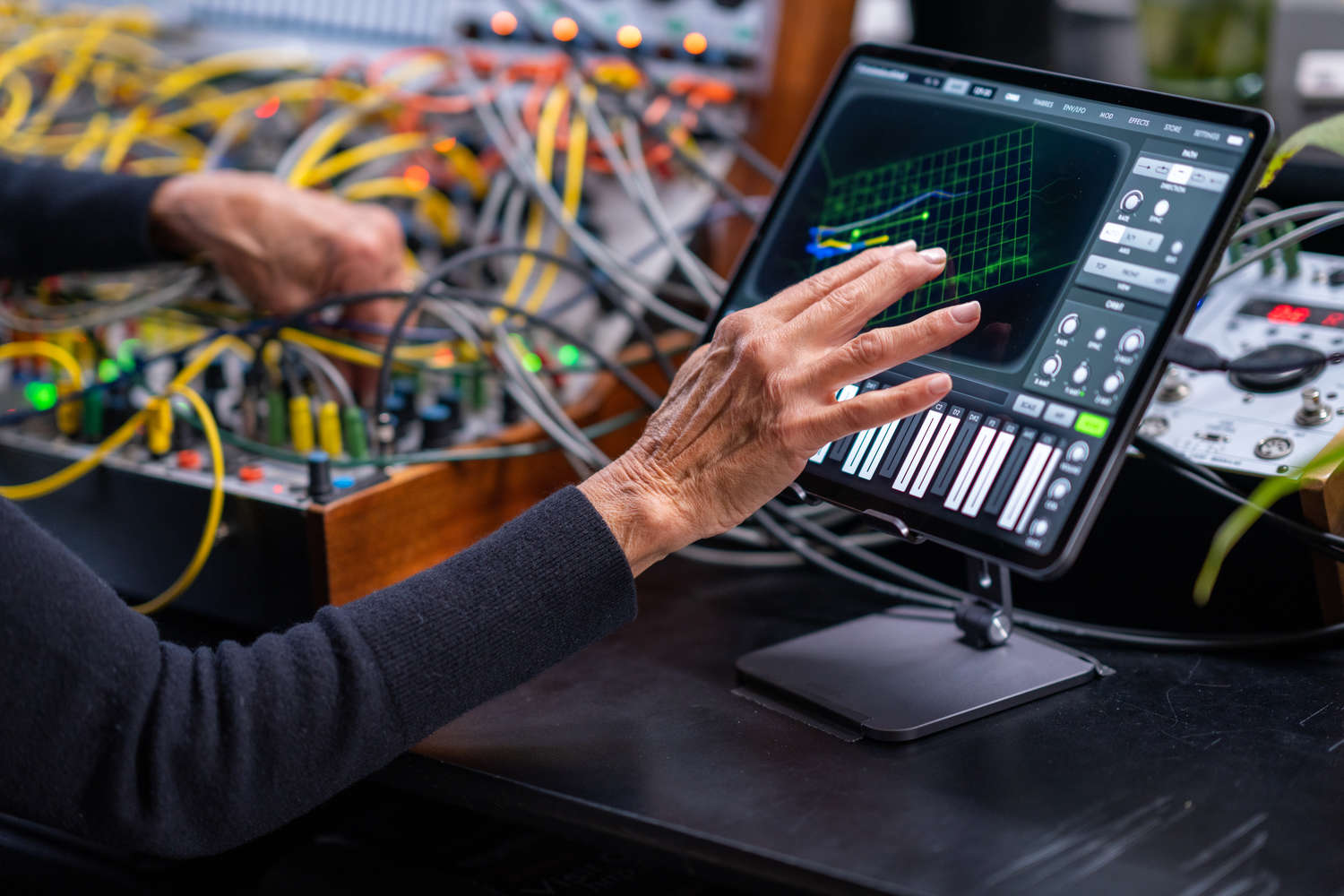
The synth has a window in which you can fiddle in three dimensions. You can set up routes for different parameters, send them off in different directions and spin them all over the place. The result is a thoroughly engaging instrument and a very visual interface that will keep you playing for hours. Perfectly pitched for the touch interface of the iPad or iPhone. It exudes that Moog sound of warm analog oscillators; you won’t find another synth quite like it.

Although if you want something more traditional, then Moog has also released a virtual version of the Minimoog Model D synthesizer and the Model 15 modular system for you to explore.

Pros & Cons

  • Made by Moog engineers
  • Innovative multi-dimensional instrument
  • Brilliantly interactive
  • Sounds fantastic
  • It’s practically perfect – but it’s a shame it’s not available on a desktop OS

Moogmusic.com
App Store: Animoog Z
Roland Zenbeats

Zenbeats is a fully-fledged DAW and performance platform where you can record both MIDI and audio tracks, mix, add effects, dig into the included virtual instruments or start working with the endless supply of loops. The pattern creator page for the drum machine is excellent and works just like a classic drum machine interface.

Roland has included sample sets taken from the original TR-808, TR-909 and TR-707 machines for that fully vintage vibe. Other loops and kits are available from the inbuilt store.

It comes with a decent roster of virtual instruments, covering synths, strings, guitars and electric pianos. But the big synth comes in the shape of the SampleVerse. You can build entire synthesizers and samplers within SampleVerse that combines different oscillators and sound sources to generate a vast array of sounds.

On the performance side, Zenbeats offers a page of loop blocks that you can arrange into scenes that launch together or independently on a tap. So you can perform with loops, MIDI or audio, add effects and play along all on-the-fly.

Zenbeats works on multiple platforms and you have the ability to save your project to the Cloud and open it up again on another computer or device and keep working. Looking forward to seeing where Roland takes it next.

Pros & Cons

  • Wonderfully cross platform
  • Make music on your phone and then transfer to desktop, and back
  • Intuitive touch-focused interface
  • Comes with some great instruments and sample packs
  • Best content and features come at a cost

roland.com
App Store: Roland Zenbeats

Hey, what do you think about trying our new Music Career HelperMusic Career Helper really quick? It’s totally free and could help get your career moving fast! Give it a try. It’s totally free and you have nothing to lose.

Korg Gadget 3

Gadget 3 is an extraordinary collection of synthesizers, samplers and drum machines that’ll keep you in that making music zone indefinitely. There are over 40 of these little Gadgets inside, mixing styles and forms of synthesis in fun and creative ways.

All of the Gadgets look and sound fantastic. They are immediately engaging and it takes no time to start getting cool sounds out of them. The loop and pattern-based sequencer is simple, powerful and lets you put down as many tracks as your iOS can handle. And be warned, you will run out of processing power because you can’t help but want to keep on adding track after track, synth after synth until it all grinds to a halt.

It’s been around a while now but version 3 upgraded everything to bring it back to the front of iOS music-making. The sound engine is better, the look has been enhanced and streamlined and they added a bunch more gadgets. They’ve grouped the Gadgets and sounds into categories, making it easier to find the sort of sound that matches your feel whether that’s rock, pop, jazz or electronic. There are new effects to give you a more polished finish. It’s also now available on MacOS and as individual plugins for your DAW.

You can lose yourself for days exploring the gadgets and putting tunes and beats together. Whether you’re serious about music or just want some fun It’s one of the best music production apps in the store.

Pros & Cons

  • Fabulous collection of sounds and machines
  • Interconnected music making
  • Now has audio tracks
  • Great fun
  • Audio editing is very basic

korg.com
App Store: Gadget 3

Apple GarageBand

GarageBand is annoyingly good. No inbuilt, giveaway, freebie software has any right to be this versatile and enjoyable to use. But GarageBand continues to be a really decent home recording studio with some remarkable features, software instruments and effects.

In GarageBand, it’s dead easy to create drum patterns, write instrument tracks, sample and record audio, mix, add effects and bring it all together into a finished product. You can just play with loops like a DJ triggering one-shots, scenes, clips, and loops and remix them with effects without having to have written a note of music. Or you can pull up a perfectly sampled acoustic instrument and write music the old fashioned way.

Plug in a guitar (via a suitable interface) and use the amp modeling effects to dial in a perfect tone. Create beats with electronic patterns or get tapping on drum kits and percussion instruments.

GarageBand is the studio in your pocket you’ve always wanted and you can record up to 32 tracks of audio or MIDI including third party virtual instruments, loops, and samples. It’s really difficult to fault it.

Pros & Cons

  • Genuinely decent recording environment for free
  • Intuitive and easy to use
  • Good built-in sound library
  • Comes with music lessons
  • No console view
  • Using your own loops can be fiddly

apple.com
App Store: GarageBand

Andrew Huang Flip Sampler

YouTube influencer, music producer and all round talented musician Andrew Huang has collaborate on a neat sample-based mobile music app that will knock your socks off. Flip is a little sampling music production studio that brings a fast and fluid workflow to making music wherever you are.

You can drop in samples from your own library or you can record directly in through the iPhone or iPad microphone. Throw them across some pads and start making beats, or plug in a MIDI keyboard for more melodic control. You have 9 tracks to play with, to layer up rhythms, add tunes and hits to build your song. There are effects and EQ you can add, adjust pitch, time, loop points and everything you need to get it sounding great.

For sequencing you have a piano roll editor and then you can get busy with randomisation, probability and crash in with instant fills, pitch shifts and filtering.

You can record entire performances for uploading to whatever platform you want to use. Flip is brilliantly versatile, creative and lots of fun from someone who knows exactly what they’re doing and what makes for a good music making environment. Plus Andrew has produced all the video tutorials to take you through every step.

Pros & Cons

  • Andrew Huang is very cool
  • Very easy to drop into a make some music
  • Excellent effects
  • You can go from initial idea to mastered song in no time
  • A bit narrow in approach

FlipSampler.com
App Store: Flip

Steinberg Cubasis 3

Cubasis is recording, editing and mixing on an iPad. From a simple tune to a full production Cubasis 3 is capable of getting the job done in a serious and dedicated manner. This is a professional DAW realized in a smaller and touch accessible way for iPad musicians.

You can record as many audio and MIDI tracks as your iOS device can handle. With external hardware, you can connect up to 24 inputs and outputs and record straight in. The audio resolution goes up to professional levels of 24bit and 96kHz and it supports real-time time and pitch stretching. The mixer comes with studio-grade channel strip plug-ins and 17 effect processors. And it’s all fully automatable.

New in version 3: they have increased how many effects you can run on a channel, they have boosted the number of effect presets and instrument sounds. The interface has had an overhaul with better formatting and zooming in on what you need to see. Universal App Support means you can move from iPhone to iPad and keep working with all the same tools. The mixer can now go full screen and you can create groups for combined mixing.

Amongst the included virtual instruments is the Micrologue analog synth, the MicroSonic instrument, and the MiniSampler to build your own instruments from your own samples. You can edit samples, edit MIDI and access over 550 MIDI and audio loops.

Where GarageBand is surprisingly good, Cubasis 3 is seriously competent. It just costs a lot more.

Pros & Cons

  • A complete DAW for iPad
  • Cubasis is a very mature platform
  • Supports up to 24 inputs
  • Unlimited track counts
  • Effects, instruments, sampler, editing, mixing – it’s got it all
  • You need a recent iPad to get the best out of it

steinberg.net
App Store: Cubasis 3

StaffPad

There’s nothing quite like StaffPad. It’s a beautiful piece of software that transports the traditional composer into an adaptive and responsive digital environment that leaves nothing of the old world behind. It’s elegantly designed to work with the iPad and Apple Pencil to capture the flow of handwritten scores and turn them into beautiful prints or performed pieces.

StaffPad effortlessly detects your scribbles and lays the page out in front of you. You can add parts, voices, orchestrate, re-arrange, include every nuance and articulation while auditioning your music as you create.

In the latest version StaffPad has acquired the ability to capture notes from your piano playing, instantly transcribing your performance into notation. You can share parts to other musicians, work with audio and video along side your scores, and format your music in any way you wish.

It’s like nothing you’ve ever seen or experienced and if scoring is your musical environment then this is what you should be using.

Pros & Cons

  • Most beautiful music app on the planet
  • Perfect for composing musicians
  • Effortless to use
  • It will capture your playing and turn it into a score
  • You’ll need an Apple pencil
  • And probably a music degree

StaffPad.net
App Store: StaffPad

Emerging and Underrated iPhone Music Apps Worth Trying

If you’re searching for the best music apps for iPhone, you’ll find the usual suspects fast. Streaming apps, a couple production apps, maybe a tuner, and you’re done.

But the fun stuff lives one layer deeper. There’s a new wave of indie apps and AI tools that musicians actually use because they make creating easier, faster, and more playful. Some of these feel like toys until you realize you just built a real track on your phone.

Koala Sampler

Koala Sampler is the “I can’t believe this is on my phone” app. It’s cheap, lightweight, and it turns any sound into something musical in seconds. Record your guitar, a voice memo, a random clap, a car door, whatever, then chop it up and start building.

The reason people love it is the vibe: quick, messy, and creative. You can sketch beats while you’re half paying attention, then later realize you made something worth finishing. If you’ve ever wanted to try sampling without feeling like you need a full studio setup, Koala is a great entry point.

Loopy Pro

Loopy Pro is for anyone who’s ever thought, “I wish I could layer this idea right now.” It’s a looping app, but it’s also kind of a performance rig, and also kind of a mini DAW, depending on how you set it up.

This one shines for singers, guitarists, and solo creators who want to build arrangements in real time. You can make harmonies, stack rhythms, and build a full song structure with loops that feel alive. It’s deep, but it rewards you fast once you get your first loop stack working.

Moises

Moises is one of the most practical AI music apps on iPhone because it solves a real problem: “How do I practice this song without the thing I’m trying to replace?” It can separate vocals and instruments so you can make a quick backing track, isolate a part, or learn by ear more easily.

It’s also useful for creators who want to study arrangements, grab inspiration, or test ideas without opening a laptop. If you’ve ever gotten stuck trying to hear the bass line, or wanted to sing over a track without the lead vocal fighting you, this is the cheat code.

BandLab

BandLab is a sleeper pick because it feels beginner-friendly, but it can go way further than people expect. It’s a free studio, a songwriting scratchpad, and a collaboration tool all in one. That combination is rare on iPhone.

It’s especially good if you’re young, learning, and want momentum. You can start something fast, keep it in the cloud, and share it with friends without turning the whole process into a technical project. If you want a low-pressure way to start recording and building songs, this is a strong place to begin.

The big trend here is speed. The apps people stick with are the ones that help you make something before your inspiration disappears. If an app makes you feel productive in five minutes, it’s doing its job.

Try one of these for a week and see what happens. Not “download it and forget it,” but actually commit to it. Your phone can be a distraction machine, or it can be the place where your best ideas start.

“I made my first songs with what I had. If you’ve got a phone, you’ve got enough to start.”