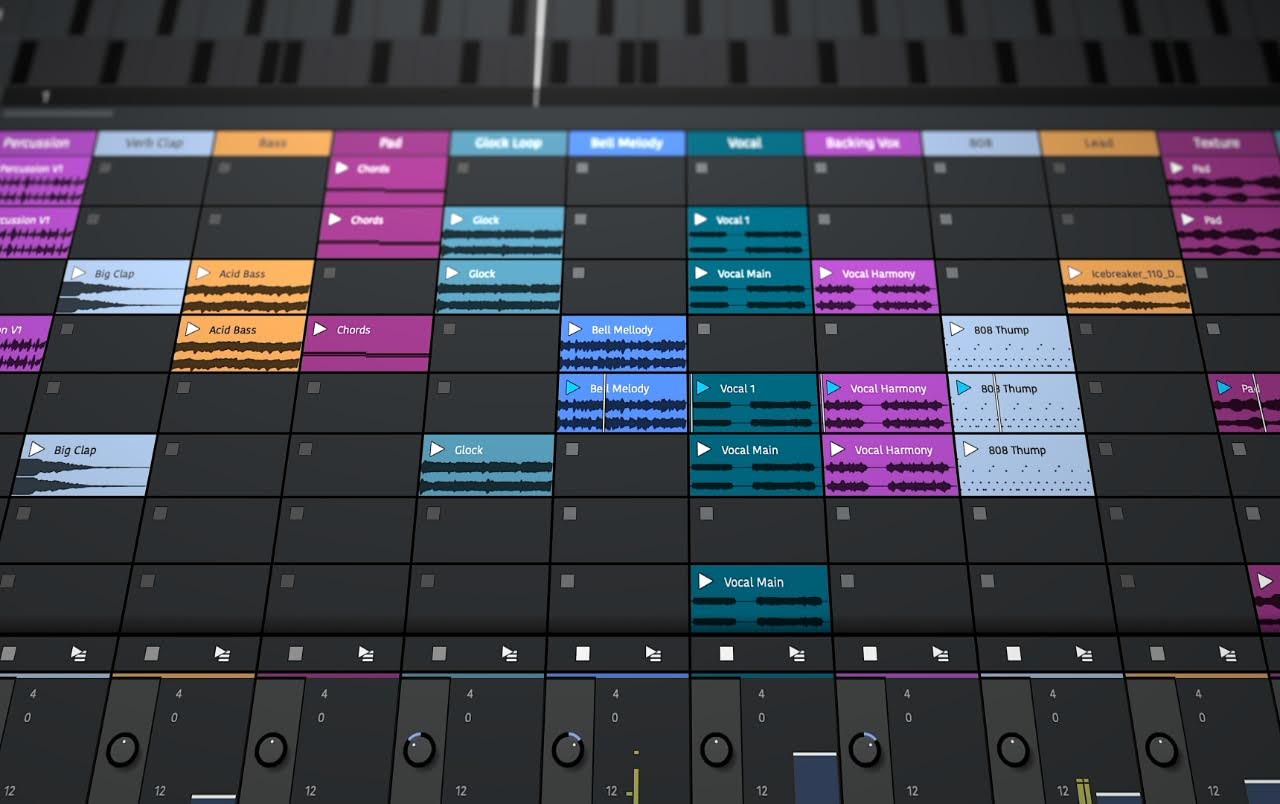
Start with a DAW (Digital Audio Workstation): This is your core music production software (like Pro Tools, Logic Pro, or Reaper) where you record, edit, and mix tracks.
Great DAWs for beginners: Pro Tools is the studio standard, Logic Pro offers a powerhouse on Mac, and Reaper is a budget-friendly all-rounder. All modern DAWs can produce pro results—choose one that fits your style.
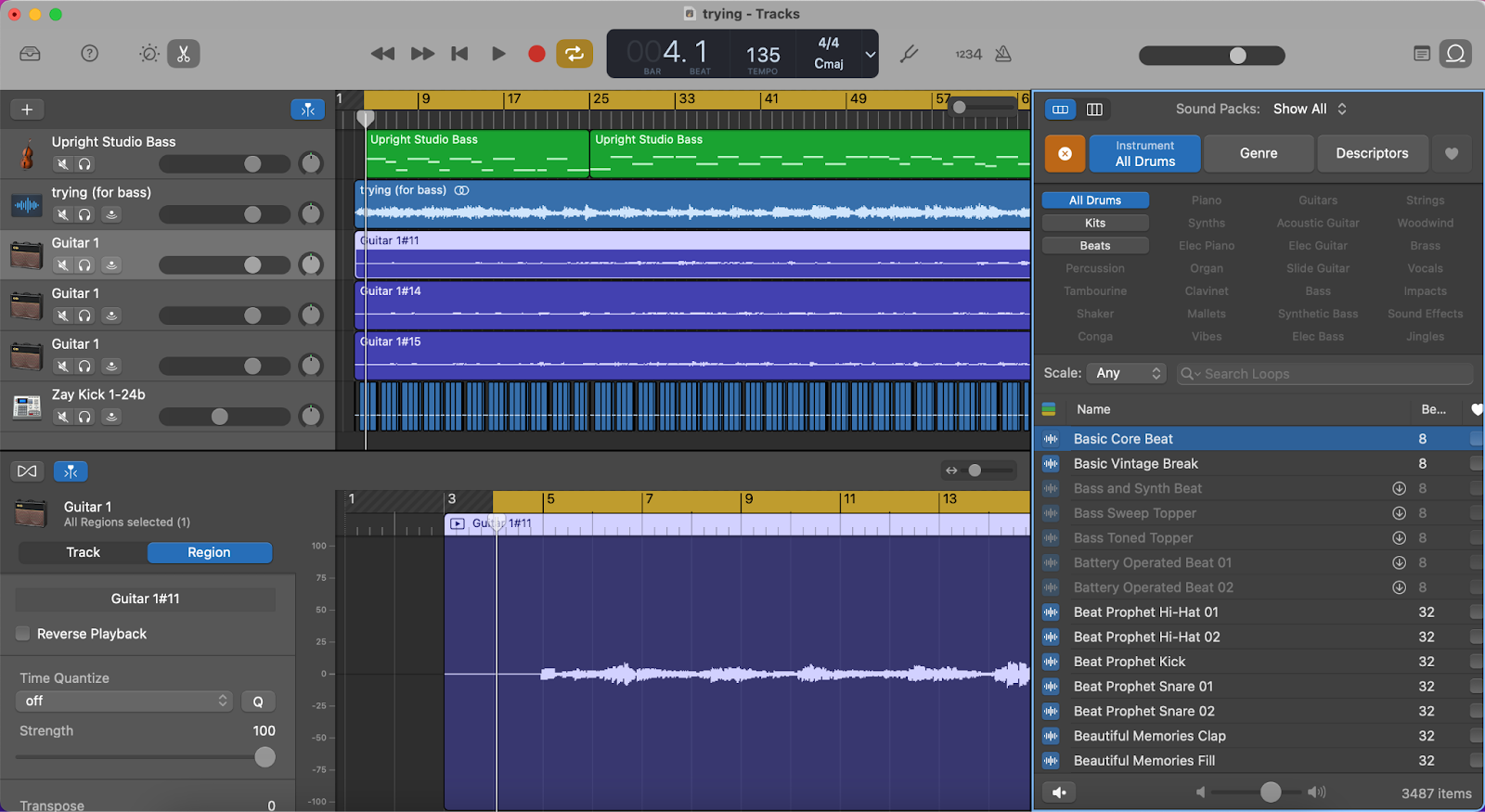
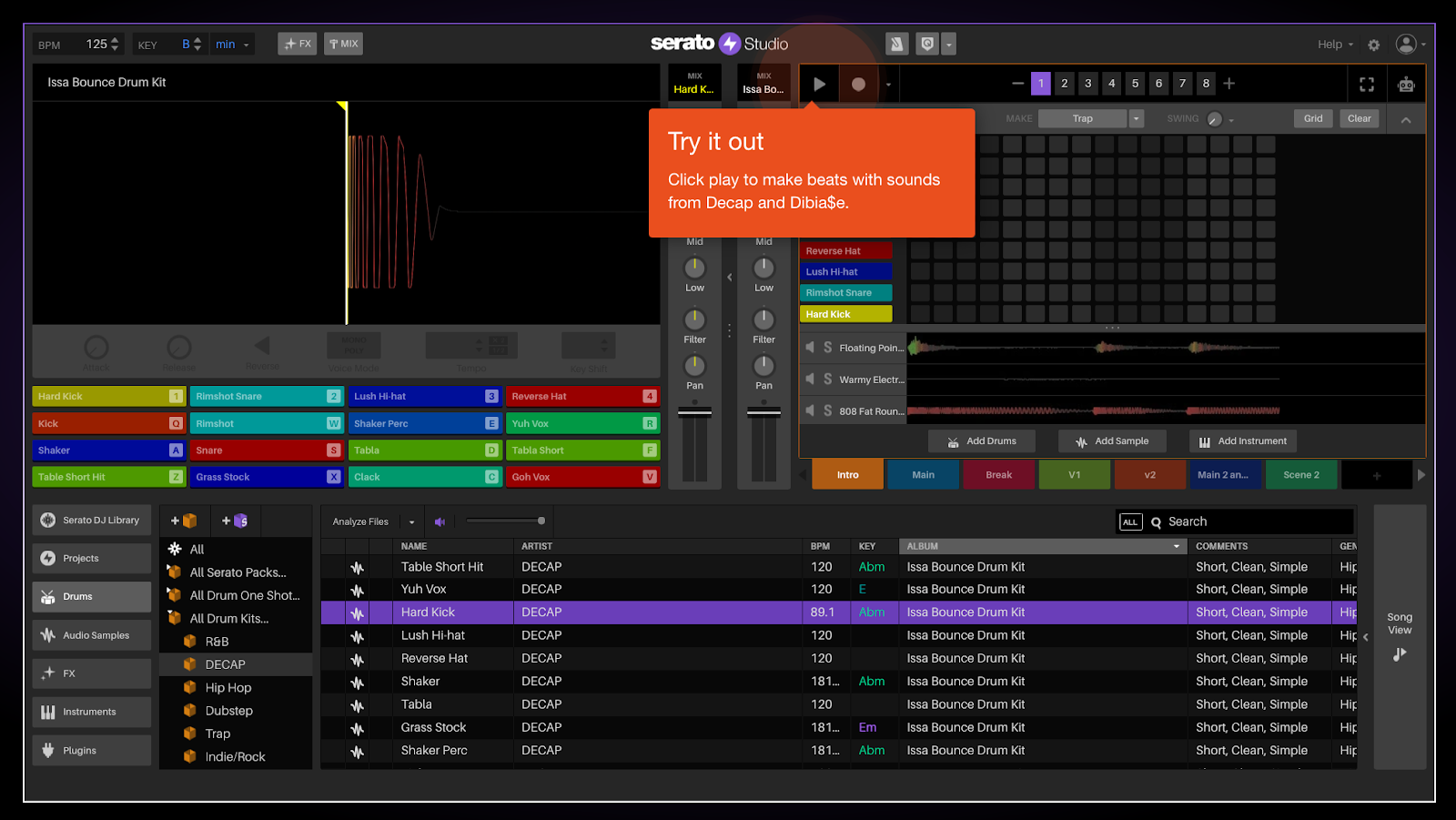
Free DAWs exist: You don’t have to spend big to start. Free options like Tracktion Waveform, GarageBand (Mac only), and Serato Studio let you make beats and songs at no cost.
Expand with plugins & instruments: Enhance your sound using effects plugins (EQ, compression, reverb, delay) and virtual instruments (bass, drums, piano, synths). Start with your DAW’s built-in tools, then explore third-party add-ons.
Expert insight: Many hits are made with basic tools. Grammy-winner Finneas produced Billie Eilish’s breakout song using only Logic’s stock sounds – proving you can do a lot with minimal gear.
Reality check: Music software can be overwhelming at first. Expect a learning curve and gear cravings, but don’t get discouraged. With practice and patience, you’ll turn your musical ideas into tracks that sound amazing.
Introduction
3 DAWs for Making Music
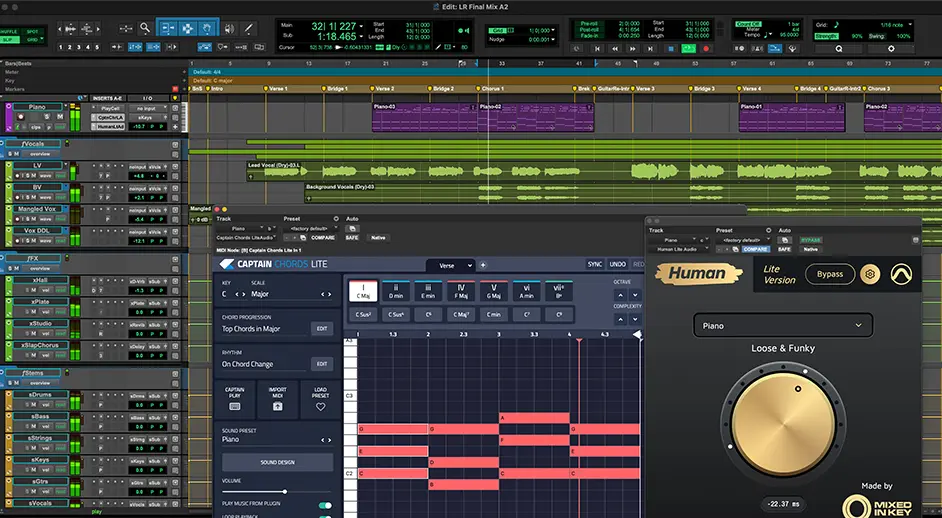
Pro Tools
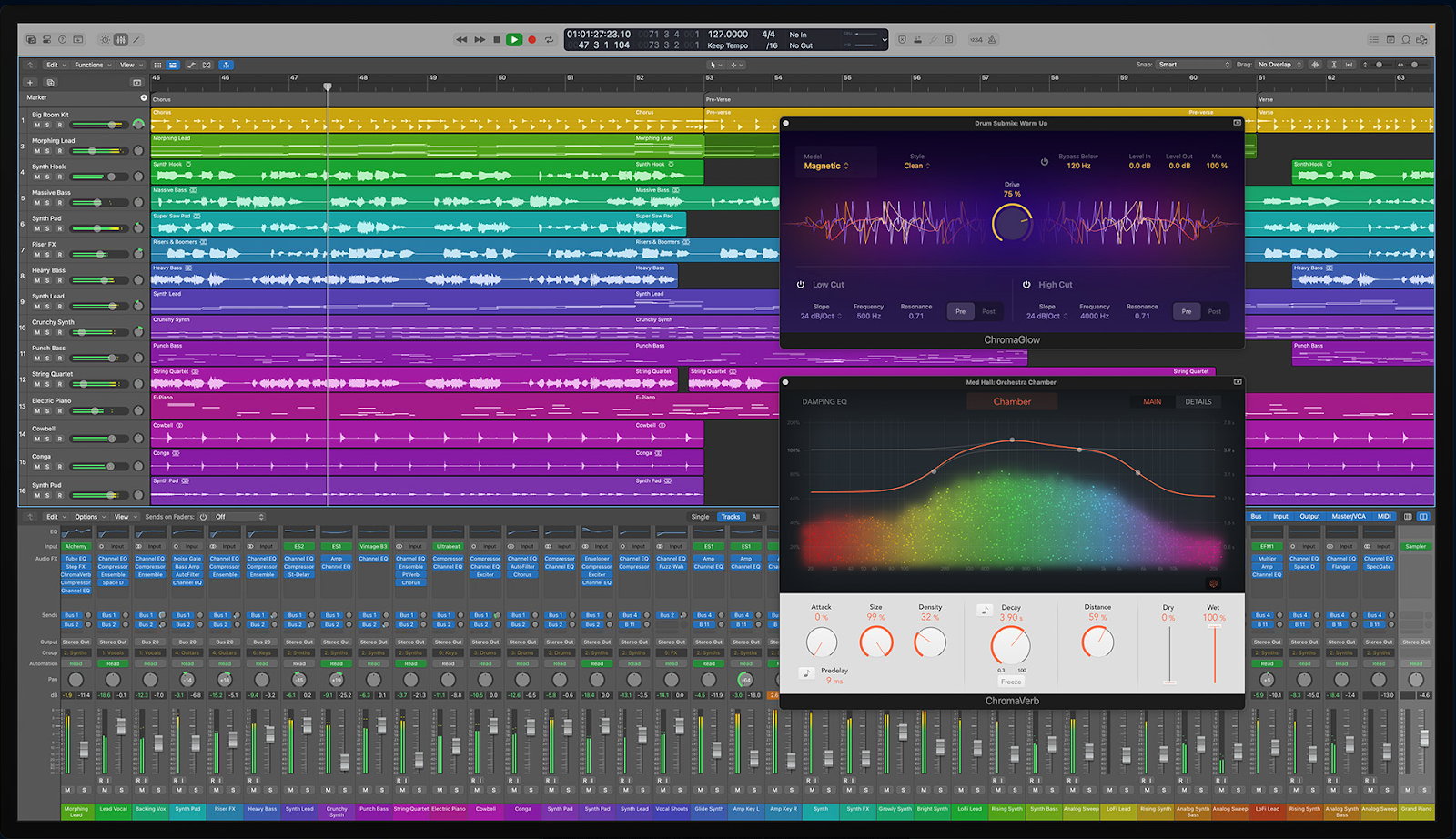
Logic Pro
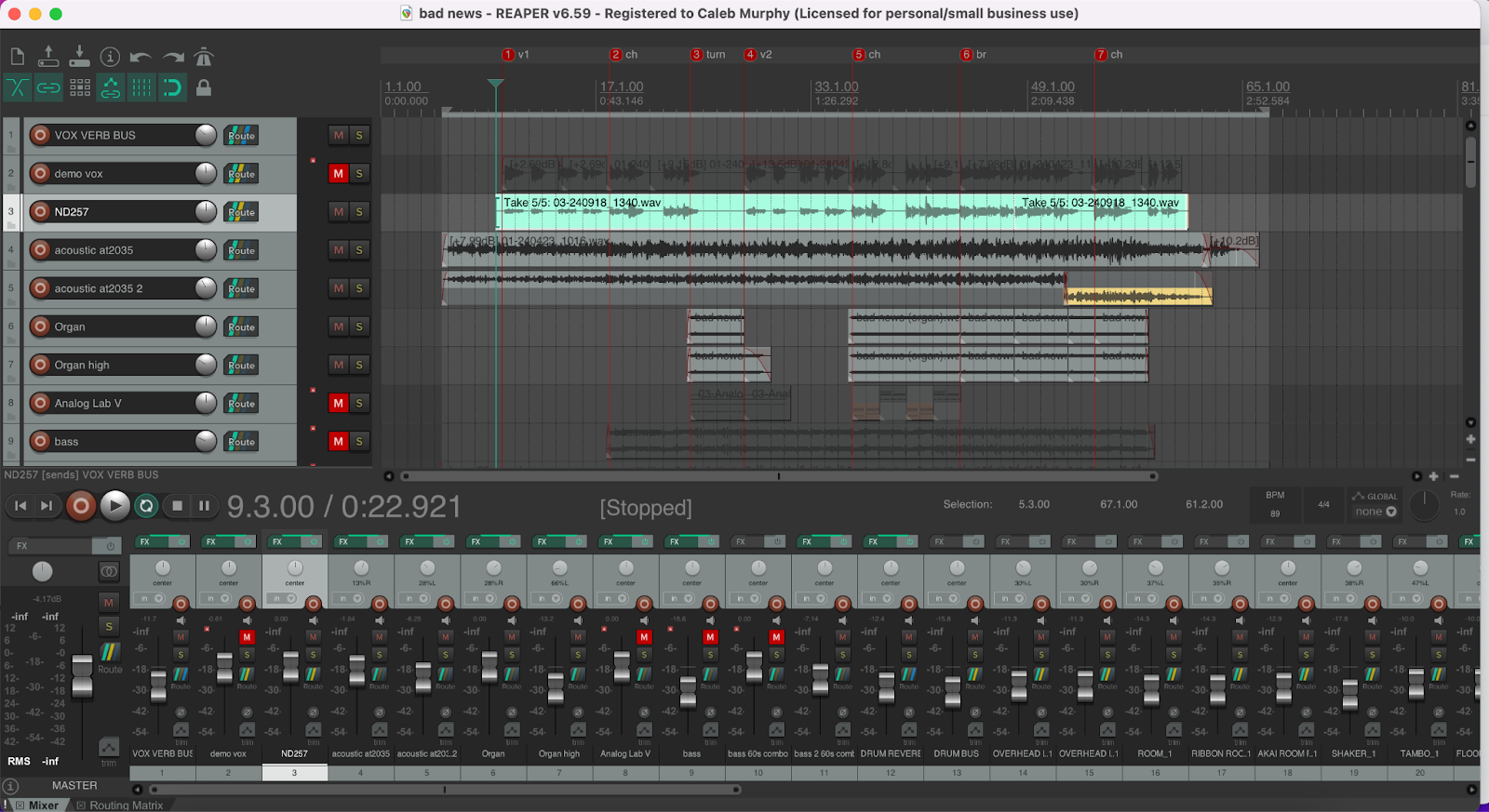
Reaper
3 Free DAWs
Tracktion Waveform Free
GarageBand (Apple only)
Serato Studio
16 Pieces of Music Making Software
Effects Plugins
Virtual Instruments
New Tools & Trends Changing How You Make Music
AI as Your Co-Producer: Smarter Tools, Faster Workflow
Making Music Anywhere: Mobile Apps, Web DAWs & Hybrid Workflows
What’s Next in Music Making Software?
Pocket Studios: Making Music on Phones & Tablets
AI: Your New Creative Assistant
Reality Check: What New Producers Need to Know (Hard Truths & Hope)
Sources
Do you really need expensive studio gear to make great music, or can you produce bangers with just a laptop and some free apps? In this guide, we’ll answer that and show you exactly what music making software you need (and what you don’t) to start creating your own songs.
Whether you’re dreaming of producing beats like your favorite DJ or recording a hit song from your bedroom, it all starts with the right software. But “music making software” covers a lot of ground – from powerful recording programs to fun sound-making plugins. If you’re a beginner (or even a seasoned musician looking to go digital), navigating all these options can be overwhelming. Don’t worry! This article breaks down the essential tools for making music on your computer. We’ll look at the core software every producer needs, recommend some of the best DAWs (including free ones you can try right away), and highlight must-have extras like effects and virtual instruments. Along the way, we’ll share insider tips, quotes from music production pros, and a few hard truths to set you on the right path. By the end, you’ll know exactly what software to grab to kick off your music production journey – without wasting time or money on stuff you don’t need.
3 DAWs for Making Music
The first piece of music making software you need is a Digital Audio Workstation (DAW) – basically, your virtual recording studio. This is the main program where you’ll compose songs, record audio, edit tracks, and mix everything together. In fact, you really can’t record or produce music without some kind of DAW on your computer. (Well, you could try recording on your phone or an old tape recorder, but let’s keep it modern!)
With dozens of DAWs out there – from Ableton Live to FL Studio to Cubase – how do you choose one? Grammy-nominated engineer Dana Nielsen (credits: SZA, Rihanna, Adele, Bob Dylan) has some simple advice for anyone just starting out:
“The main thing [when getting started] is just to do it and to get your system together. Have a home studio and figure out what your DAW is.” — Dana Nielsen, Grammy-nominated engineer
In other words, don’t overthink it – set up a basic home studio space, pick a DAW, and dive in. The best way to learn is by doing. With that in mind, here are three of the best DAW options to consider first. (Keep in mind, any professional DAW can ultimately do the job – it’s more about which one feels right to you. Try demos if you can!)
Pro Tools
Think “recording studio,” and Pro Tools immediately comes to mind.Pro Tools is widely recognized as the industry standard in professional studios. Walk into almost any high-end recording facility and you’ll likely see Pro Tools on the screen – it’s the software behind countless hit records. Many of your favorite artists (or their engineers) use it to record and mix because of its rock-solid performance and powerful audio editing capabilities.
Benefits of Pro Tools:
Tested and Trusted: It became the industry standard for good reason – Pro Tools is ultra-reliable and handles large recording sessions with ease.
Real-Time Processing: Enjoy advanced real-time effects processing and low-latency monitoring, which means you can record and listen without annoying delays.
Cloud Collaboration: Work with other musicians or engineers remotely. Pro Tools lets multiple users collaborate on the same session over the internet in real time.
Broad Compatibility: This DAW plays nice with both Mac and PC, and supports nearly any audio interface you might have.
Extensive Plugin Support: Need specialized effects or instruments? Pro Tools supports a broad array of third-party plugins, so you can expand your sonic arsenal freely.
Downsides of Pro Tools:
Cost: Pro Tools isn’t cheap. The full-featured versions and subscription plans can be pricey, which might put it out of reach for some beginners on a tight budget.
Steep Learning Curve: The interface isn’t the most beginner-friendly. Pro Tools was built for pros, so it can feel a bit complex and intimidating when you’re just starting.
Limited MIDI Features: While Pro Tools has improved its MIDI editing over the years, it’s still not as robust in that department as some other DAWs. If you’re heavy into MIDI composition (virtual instruments, electronic music), you might find it a bit lacking there.
In a nutshell, Pro Tools is like the Ferrari of DAWs – powerful and proven, but not the easiest ride for newbies. If you’re aiming to work in big studios or collaborate with industry pros, it’s worth considering learning Pro Tools eventually. But if you’re just making music at home for now, don’t worry – you have plenty of other great options.
Logic Pro
Apple’s powerhouse for music production, and a favorite of songwriters and producers alike.Logic Pro is a Mac-only DAW that has become an industry standard in its own right. If you have a Mac, Logic Pro offers tremendous value – it’s relatively affordable (one-time purchase) and packed with features that rival the best in the business. Many hit records (especially in pop, hip-hop, and EDM) have been produced in Logic. It’s user-friendly on the surface, but also deep enough to handle professional sessions.
Benefits of Logic Pro:
Comprehensive Tools: Logic gives you everything you need out-of-the-box – recording, editing, mixing, and even mastering tools – all within a slick, intuitive interface.
Awesome MIDI Sequencer: Logic’s MIDI capabilities are top-notch. Composing and editing MIDI (the notes for virtual instruments) is a breeze, making it ideal if you create music with software instruments.
Huge Sound Library: From realistic sampled instruments (pianos, guitars, drums) to synthesizers, Logic comes loaded with virtual instruments and thousands of royalty-free loops. You can start making full songs without buying any additional sound packs.
Loops and Samples Galore: Speaking of loops – Logic includes a massive collection of loops and samples you can legally use in your music. Drag, drop, and build ideas quickly.
Versatility: Logic Pro is used by bedroom producers and Grammy-winning engineers alike. It’s great for recording live instruments and vocals, but equally adept at electronic beat-making and remixing.
Downsides of Logic Pro:
Mac Only: The biggest catch – if you don’t have a Mac, you’re out of luck. Logic Pro doesn’t run on Windows at all.
Resource Hungry: Logic can demand a lot from your computer, especially on large projects with tons of tracks and plugins. You’ll want a relatively powerful Mac to run it smoothly (newer Apple Silicon Macs handle it very well, though).
Overall, Logic Pro is a fantastic all-in-one solution for Mac users. It’s often recommended for beginners on Mac because of its balance of ease-of-use and depth. Plus, if you ever outgrow it (which is hard to do), the skills you learn will translate to other pro software. Fun fact: many chart-topping songs by artists like Taylor Swift, Calvin Harris, and Billie Eilish were produced in Logic. It’s a serious tool with a beginner-friendly vibe.
Reaper
The ultra-flexible, budget-friendly DAW that punches way above its weight.Reaper is a hidden gem among DAWs. It works on both Windows and Mac (even Linux, unofficially), is a tiny download, and yet offers a full professional feature set. Reaper’s licensing is refreshingly cheap: the creators let you download the full version for free to evaluate, and a personal license costs only $60 if you decide to pay. Despite its low price, Reaper is used by plenty of professionals and has a very active user community constantly improving it with scripts and customizations.
Benefits of Reaper:
Comprehensive Editing Tools: Reaper comes with all the critical audio tools you’d expect – great EQ, compression, reverb, delay, etc., either built-in or easily added as plugins:contentReference. It’s fully capable of recording bands, producing beats, or scoring video.
User-Friendly (once set up): Out of the box, Reaper might look plain, but you can customize the interface extensively to suit your workflow. Once you tweak it to your liking, it’s very straightforward to use.
Plugin Support: Reaper isn’t picky – it supports both VST and AU plugin formats (plus others), so basically any third-party plugin will run in Reaper. You have access to thousands of free and paid plugins to expand your toolkit.
Flexible Routing & Automation: Reaper lets you route audio and MIDI in any way you can imagine. Send tracks to other tracks, create complex effect chains, automate any parameter – the routing is incredibly powerful once you learn it.
Active Community: There’s a saying: “whatever you want Reaper to do, someone’s probably written a script or made a tutorial for it.” The Reaper user community is huge. You can find help, custom themes, and plugins (many for free) created by users. You’ll never feel stuck with so many resources around.
Downsides of Reaper:
Not Pretty Out of the Box: Let’s be honest – Reaper’s default look is a bit utilitarian. You might need to install a nice theme or two to make it feel more modern and inviting. (Thankfully, that’s easy to do.)
Fewer Built-In Instruments: Unlike Logic or other big DAWs, Reaper doesn’t come with a huge library of virtual instruments or loops. It has some basic synths and sample players, but you’ll likely need to add your own instruments (there are many free VST instruments out there, though).
Frequent Updates: Reaper updates constantly with new features and fixes. This is a good thing, but it can feel like you’re always downloading a new version. If you prefer a DAW that hardly ever changes, Reaper’s rapid development might be a slight annoyance (on the flip side, you get new toys to play with regularly!).
In summary, Reaper is an amazing option for beginners, especially if budget is a concern or if you love to tinker. It may not have the brand recognition of Pro Tools or Logic, but it has essentially all the capabilities. Many producers keep Reaper in their toolkit because of how efficient and customizable it is. Give it a try – you might be surprised that a 15 MB program can replace gigs of fancy software.
**Other Notable DAWs:** The three above are just a few top picks. There are other extremely popular DAWs like Ableton Live (fantastic for electronic music and live performance) and FL Studio (favored by many hip-hop and EDM producers, known for its easy loop-based workflow). All major DAWs can achieve professional results – none of them will hold you back once you learn them. If you’re curious about more options or specific uses (like film scoring or live DJing), check out our in-depth roundup of the Best DAWs for 2025 where we highlight the ideal picks for various needs. The key takeaway: pick one DAW and really learn it, and remember you can always switch later if needed.
3 Free DAWs
What if you’re not ready or able to spend money on recording software yet? No worries – you can absolutely make music with free software, and it can sound just as good. There are several excellent free DAWs that are perfect for learning the ropes. Here are three of the best no-cost options worth checking out:
Tracktion Waveform Free
Tracktion Waveform Free is a powerful **open-source** DAW that gives you unrestricted music-making capabilities at no cost. Beginners love it because it’s relatively easy to grasp and isn’t artificially limited (unlike some “Lite” versions of DAWs). You get an entire workstation free forever, and if you eventually crave more advanced features, Tracktion offers paid versions – but truthfully, the free edition is plenty capable for starting out.
Benefits of Waveform Free:
Intuitive Interface: Waveform Free is designed to be user-friendly. The layout is clean and straightforward, letting you focus on music instead of menus. You won’t be buried in confusing options right away.
Built-In Sounds & Loops: It comes with a solid collection of built-in sounds and loop libraries (drums, bass, guitar, keyboards, etc.). This means you can start crafting songs even if you don’t have any external plugins or instruments yet.
Included Effects & Tools: Right out of the gate, you have essential effects like EQ, compression, reverb, and more built into Waveform. You won’t immediately need third-party plugins to do basic mixing – the stock tools will get you far.
Active User Community: Waveform has a growing community of users who share tips and answer questions. There are forums and videos galore to help you if you get stuck or want to learn new tricks.
Downsides of Waveform Free:
Feature Limited vs Paid Version: While the free version is great, it does have fewer features than Waveform Pro (the paid edition). As you advance, you might hit some walls (certain advanced editing or plugin options are reserved for Pro). Still, you might never notice these limits until you’re quite experienced.
Some Stability Quirks: Users report occasional crashes or bugs in the free version. It’s nothing too alarming – just remember to save your work regularly (good advice for any DAW!). These minor issues are usually fixed in updates.
Overall, Tracktion Waveform Free is a gift to broke musicians everywhere. It runs on Windows, Mac, and even Linux, so anyone can use it. If you’re feeling cautious about investing money, start here. You might find it does everything you need. And if not, you’ve lost nothing and learned a lot.
GarageBand (Apple only)
If you’re on a Mac, you already have a fantastic free DAW installed: GarageBand. GarageBand comes pre-loaded on all Apple computers and iOS devices. Don’t let its friendly appearance fool you – under the hood, GarageBand is essentially a streamlined version of Logic Pro. It’s hands-down one of the best ways for beginners to start making music because it’s so approachable.
Benefits of GarageBand:
Easy, Familiar Interface: GarageBand’s design is super intuitive, even if you’ve never used audio software before. It’s drag-and-drop simple for recording and looping. If you can use a basic audio editor or even iMovie, you can figure out GarageBand.
Loaded with Sounds: You get a huge library of built-in sounds and loops – drums, bass, guitars, keyboards, and more. Apple includes high-quality instrument patches and hundreds of royalty-free Apple Loops you can use to build tracks. It’s like having a bunch of session musicians at your fingertips.
Musical Typing: Don’t have a MIDI keyboard? No problem – GarageBand has a “musical typing” feature that lets you use your computer keyboard to play notes and chords on virtual instruments. Your QWERTY keys become a piano, so you can lay down synths or drum patterns without any extra gear.
Solid Recording & Editing: GarageBand provides all the basic tools to record vocals or instruments and edit them. You can cut, copy, paste, and tweak regions, and even use software amps and stompboxes for guitars.
Growth Path to Logic: One big plus: if you fall in love with music production, projects you create in GarageBand can open in Logic Pro. GarageBand is essentially Training Wheels Logic. When you’re ready for more power, the transition is seamless.
Downsides of GarageBand:
Mac/iOS Only: Like Logic, GarageBand is exclusive to Apple devices. If you’re on Windows, you’re out of luck here. (But hey, that’s what Tracktion or other free DAWs are for.)
Limited Advanced Features: GarageBand is meant to be simple, so it lacks some advanced capabilities that pro DAWs have. For example, you can’t route audio between tracks in complex ways, and the mixing controls are more basic. It’s perfect for beginners, but eventually you might want more flexibility.
No Third-Party Plugins: A notable limitation: GarageBand doesn’t allow third-party plugin instruments or effects. You’re mostly confined to the sounds and effects it comes with (which are good, but not expandable until you move to Logic). This means if you find a cool VST plugin online, you can’t use it in GarageBand.
In short, GarageBand is a beginner’s dream DAW – especially if you already have a Mac or iPad/iPhone. It’s friendly, fun, and you can create shockingly polished music with it. A lot of famous producers actually started out on GarageBand (or still use it for quick idea sketching). If you’re in the Apple ecosystem, definitely give it a spin.
Serato Studio
Serato Studio is a free DAW tailored for beatmakers and DJs – but honestly, anyone can use it to start crafting songs. Serato is famous in the DJ world for their DJ software, and with Serato Studio they’ve created an intuitive platform for making beats, hip-hop tracks, EDM, or any loop-based music. The base version has some limitations unless you subscribe, but you can do a lot without paying, and it’s fantastic for quickly laying down ideas.
Benefits of Serato Studio:
Intuitive, DJ-Friendly Interface: Serato Studio’s layout will make a lot of sense if you’re coming from a DJ background. It’s clean, simple, and you can see your song sections at a glance. The learning curve is gentle – you’ll be dropping beats in minutes.
Built-In Sounds and Loops: This DAW comes packed with a library of drums, basslines, and melody loops to get you started. You can mix and match samples easily to spark inspiration, and you’re not violating any copyrights using the included sounds.
Beatmaking & DJ Focus: Serato Studio really shines for creating beat-driven music. It has a built-in drum machine and step sequencer that makes programming drums fun and fast. If you want to sample a vinyl or chop up audio clips, Serato’s heritage in DJing makes that workflow smooth.
Easy Collaboration: It’s straightforward to export your beats or share project files with collaborators. Plus, if a friend uses Serato Studio too, you can swap project files without compatibility issues.
Serato DJ Integration: Here’s a cool perk: if you also DJ, Serato Studio integrates with Serato DJ hardware/software. You can sketch a beat in Studio and then perform it or remix it live using Serato DJ. It’s a neat ecosystem if you do both producing and DJing.
Downsides of Serato Studio:
Focused on Beats: Serato Studio is AMAZING for making beats, but it’s not intended to be a full-fledged production suite for recording bands or doing complex audio engineering. It lacks some of the advanced tools that you’d find in a more general DAW (e.g., detailed mixing console view, advanced routing).
Basic Audio Editing: You can certainly record and edit audio in Serato Studio, but compared to traditional DAWs, the audio editing features are simpler. If you plan to do a lot of detailed vocal comping or multi-track recording, you might feel constrained.
Subscription for Full Features: The free version of Serato Studio gives you a lot, but some features and sound packs require a subscription to unlock. This might annoy some users. The good news is the free version is still very functional; you can decide later if it’s worth subscribing for more.
Serato Studio is a blast, especially if your main goal is to create beats and remixes quickly. For a budding producer who loves hip-hop or dance music, it’s a great playground. Even if you eventually move to a bigger DAW, you might keep Serato Studio around for those times when you just want to flip open your laptop and bang out a quick beat without overthinking it.
**Related Tip:** If you’re specifically into beat making and want to explore more tools, check out our guide on dedicated Beat Making Software for Beginners, which covers apps, standalone samplers, and other cool stuff for crafting beats.
Hey, what do you think about trying our new Music Career HelperMusic Career Helper really quick? It’s totally free and could help get your career moving fast! Give it a try. It’s totally free and you have nothing to lose.
16 Pieces of Music Making Software
By now, you know the first software to grab is a DAW. But making music usually involves more than just the DAW itself. Once you have your main program sorted, you’ll likely start adding plugins to expand your sonic palette. “Plugins” are additional software tools that work inside your DAW – they can be effects that process your sound or virtual instruments that generate new sounds. Think of it this way: if your DAW is the studio, plugins are the gear and instruments you fill it with.
There are two broad categories of music-making plugins we’ll cover here: effects plugins and virtual instrument plugins. At the beginning, you don’t need to go crazy collecting these (trust us, it’s tempting, but start small!). Your DAW already comes with stock plugins that are perfectly fine for learning. In fact, we highly recommend getting comfortable with those built-in EQs, compressors, synths, etc., before splurging on third-party ones. But as you progress, here are some of the best pieces of software in each category that can take your productions to the next level…
Effects Plugins
Effects plugins (often abbreviated “FX”) manipulate your audio in various ways – they’re like the spices in your sonic recipe. The four bread-and-butter audio effects you’ll use in almost every song are: EQ (equalizer), compressor, delay, and reverb. Every DAW comes with basic versions of these. Learning how to use your DAW’s stock EQ, compressor, delay, and reverb is a **must** for beginners. Once you grasp what these do and how they shape your sound, you can explore fancy third-party versions for different flavors or advanced capabilities.
Here are some top-notch third-party effects plugins (with serious cred in the pro audio world) to consider when you’re ready to expand:
EQ:FabFilter Pro-Q3 (used by Grammy-winning artists, producers, and engineers) – A super clean, powerful equalizer plugin that many pros swear by for shaping frequencies with precision.
Compressor:UAD 1176 (emulates the classic 1176 hardware compressor used on countless hit records) – This gives your tracks that tried-and-true analog-style compression. Great for vocals, drums, you name it.
Reverb:Valhalla VintageVerb (used by Adele and Lana Del Rey) – A favorite reverb plugin known for its lush, vintage-style atmospheres. Put your tracks in a realistic space or an otherworldly cavern – it’s extremely versatile for creating ambience.
Delay:Soundtoys EchoBoy (used by Trent Reznor, Kenny Beats, and many others) – A legendary delay plugin that can do everything from crisp digital echoes to gritty analog tape delay tones. If you want your guitars, vocals, or synths to echo into the void in style, EchoBoy’s your guy.
These four cover the main categories, but there are countless other effect plugins (chorus, distortion, autotune, filters, etc.) you might explore down the line. A good strategy is to identify a need in your mix (e.g., “I wish I could make my synth sound more spacey” or “my vocals need tuning”) and then look for a plugin that addresses that specific need. This way you build your plugin collection with purpose, rather than downloading everything and not knowing what to do with it.
Virtual Instruments
Virtual instruments are exactly what they sound like – software versions of instruments. Instead of having a grand piano in your room or a full drum kit mic’d up, you can use virtual instrument plugins to emulate these sounds. You control them with MIDI (either by playing a MIDI keyboard or by drawing notes in your DAW’s piano roll). Virtual instruments have opened up a world of possibilities for home producers: you can incorporate orchestral strings, cinematic drums, or quirky synth noises into your song without owning any physical instruments.
The world of virtual instruments is incredibly vast (and can become an obsession in itself!), but let’s highlight a few excellent options for some common instrument needs. These plugins are known for top-tier sound quality and are used by many producers:
Bass Guitar:
Modo Bass 2 – A physically modeled bass guitar plugin (offers a free trial). Great for realistic bass lines without a bass guitar.
Built-in options: Don’t forget, GarageBand/Logic Pro come with very usable bass guitar instruments as well. If you have those DAWs, their stock bass sounds are a solid starting point.
Drums (Acoustic Kits):
Addictive Drums 2 – A versatile drum plugin for realistic drum kit sounds. (Sound On Sound Magazine said it “sounds bloody marvelous”!)
Superior Drummer 3 – A high-end drum production studio plugin, engineered with help from Grammy-winner George Massenburg for extremely realistic drum tracking and mixing.
Built-in option: If you’re on Logic Pro, try Logic’s built-in “Drummer” feature – it’s an AI-driven virtual session drummer that can jam along with your song in various styles. It’s surprisingly good for quick drum tracks!
Piano/Keys:
Addictive Keys – A collection of beautifully sampled pianos and keyboards. Easy to use and sounds great out-of-the-box for those rich piano parts.
Spitfire Audio Labs – Soft Piano – A famous *free* piano plugin known for its intimate, mellow tone. (It’s literally free, so definitely grab this one!)
Noire – An ultra-detailed virtual grand piano (sampled from composer Nils Frahm’s personal grand piano). If you want an inspiring, cinematic piano sound, Noire is phenomenal.
Synthesizers:
Arturia Analog Lab V – A massive collection of synth sounds based on classic analog synths (and more). It includes thousands of presets covering everything from fat basses to swirling pads, and you can actually get a version with 100 sounds for free to try.
Arturia Pigments (used by big names like Noel Gallagher, Tycho, Herbie Hancock, and Hans Zimmer) – A modern synth plugin that’s extremely powerful for creating your own sounds. It’s visual and user-friendly for a synth of its depth.
Phase Plant – A modular synth environment that lets you build sounds from scratch with a combination of synthesis techniques. It’s a bit advanced, but sound design geeks adore it for the endless possibilities.
Each of these virtual instruments can integrate right into your DAW. You load them up on an instrument track, and you can play/sequence them as if you had the real instrument in front of you. Keep in mind that high-quality instrument plugins (especially those with sampled sounds like pianos or orchestras) can be demanding on your computer’s RAM and storage. Always check the system requirements and ensure you have the space for the sample libraries.
Also, remember: there are a ton of free or affordable virtual instruments out there. Before splurging on a pricey plugin, look around for free versions or trial editions. For instance, Spitfire Audio (makers of Soft Piano) have an entire LABS series of free instruments (strings, drums, etc.), and many synth companies offer freebie lite versions. You can build a huge palette of sounds without spending much if you’re resourceful.
New Tools & Trends Changing How You Make Music
Just when you think you’ve got the basics down, the music tech world throws a curveball (in a good way). In the last couple of years, several new tools and workflows have exploded onto the scene – and they’re especially friendly to beginners. From AI “co-producers” to making beats on your phone, here’s a look at what’s hot and how it’s reshaping the way newcomers create music.
AI as Your Co-Producer: Smarter Tools, Faster Workflow
Not long ago, the idea of artificial intelligence in music production felt like sci-fi. Now it’s becoming standard. Modern DAWs and plugins are increasingly packing “smart” features that can listen, learn, and lend a hand. If you’re new to producing, these AI-powered tools can be huge time-savers (and skill-builders).
For instance, today you can drop an AI-driven plugin on your mix and get instant suggestions on EQ, compression, or reverb settings – almost like having an assistant engineer giving you tips. Services like LANDR can automatically master your track with a single click, giving beginners a quick way to get a polished sound without deep technical know-how.
And if you’re stuck for inspiration, there are AI beat generators and melody makers that can spark ideas when your muse is snoozing.
One big shift is how AI is helping with the “boring” stuff, letting you focus on creativity. Need a drummer but don’t have one? Logic Pro’s virtual drummer can jam along intelligently to your song. Struggling to come up with a chord progression? Tools like Orb Producer or BandLab’s SongStarter can suggest musical ideas at the push of a button.
Even vocalists are no longer strictly required – AI voice generators like Synthesizer V can sing your lyrics for you, and experimental vocal clone models let you apply famous vocal styles to your own melodies.
“I’ve mostly been using iZotope Ozone’s AI/ML tools (which considering my style of music, can be hit or miss) and AI tools like Emergent Drums & Infinite Packs to make drums and get unique samples when I want to work fast on getting an idea out!” — a producer on r/edmproduction
That kind of firsthand feedback from a newer producer says it all: AI tools can kickstart the process, helping you get ideas down faster. Of course, AI isn’t magic – it won’t suddenly turn a newbie into Dr. Dre overnight, and sometimes the suggestions it gives might not fit your vibe.
Think of AI features as your helpful sidekick: they handle some heavy lifting (like dialing in a decent mix or generating a bassline to build on), but your ears and creativity are still in charge.
In practice, that means you might use an AI master to polish your track for sharing with friends, or grab an AI-suggested drum pattern and then tweak it like crazy to make it your own. Today’s smart software can be a huge confidence booster for beginners, removing some technical roadblocks so you can focus on making the music in your head come to life.
Making Music Anywhere: Mobile Apps, Web DAWs & Hybrid Workflows
Remember when making music meant being tied to a desk with a hefty computer? Not anymore. One of the most exciting trends lately is the rise of mobile-first and cloud-based music production. If you’re between 16 and 35, chances are you do almost everything on your phone – and now that can include producing release-worthy tracks.
In the past 1–2 years, major players have brought full-fledged music studios to mobile devices. Apple’s Logic Pro for iPad launched in 2023, putting a pro-level DAW in your backpack.
And apps like GarageBand (iOS) or FL Studio Mobile (iOS/Android) have been leveling up too, proving that a smartphone or tablet can be a serious music-making machine. The appeal for beginners is huge: you can start laying down a beat or melody whenever inspiration strikes – on the bus, in bed, wherever.
No need to wait until you get home to a PC. In fact, some young producers have jumped in with nothing but a phone and earbuds, and found it a liberating way to begin.
“I searched how to make music and found this app, BandLab… and started making music in my little sister’s closet, no studio, no professional mic. I didn’t use YouTube tutorials or have any formal training.” — d4vd
d4vd’s story – a teen artist who went from recording vocals in a closet to scoring a viral hit – shows how far you can go with just a phone and determination. Mobile music apps today aren’t just toys; they’re powerful enough that even charting songs can be (and have been) made on them.
One reason they’re beginner-friendly is their simplicity: phone and tablet apps tend to have cleaner, more guided interfaces than complex desktop software. You’re somewhat “limited” in options, but that can actually help you focus on the song instead of getting lost in menus.
Plus, mobility means you can capture ideas on the fly. Got a melody in your head while out with friends? Hum it into a mobile DAW or sampler app before it slips away.
Beyond mobile apps, we’re also seeing the boom of browser-based DAWs – essentially online music studios that run in your web browser. These let you produce music on any device, whether it’s a cheap laptop, a borrowed Chromebook, or a library computer.
For beginners who might not have a high-end setup, that’s a game changer. Platforms like Soundation, BandLab (web version), and Soundtrap (owned by Spotify) allow you to record, layer tracks, add effects, and save projects all in the cloud.
No installs, no pricey hardware needed. Another huge benefit is built-in collaboration: you can invite a friend to jam on your session and literally see each other’s edits in real time – think Google Docs for music.
This kind of workflow didn’t really exist a few years ago at the level it does now.
If you’re a beginner, it means you could be creating beats with a buddy across the country, each of you on whatever device you have, all within a shared online studio. The software takes care of syncing everything up (and even auto-saving every change, so you never lose your work).
The convergence of mobile, web, and desktop is also worth noting. Many setups now are hybrid: maybe you start a drum pattern on your phone during lunch break, then fine-tune the mix on your laptop at home.
Companies are actively catering to this. Ableton’s Note app, for example, lets you sketch ideas on your iPhone and later open them in Ableton Live on your computer to expand them further. Image-Line (makers of FL Studio) recently added a cloud project sync and even built-in stem separation powered by AI, so you can break a song into vocals, drums, etc., right inside FL Studio.
Are there any downsides? A few. Mobile apps and online DAWs, while super convenient, might not (yet) offer all the advanced features of a top-tier desktop DAW. If you really want to dig into intricate audio editing or use specific high-end plugins, you’ll eventually move to the computer for that polish.
Browser-based tools can also be limited by your internet speed – a slow connection can hamper a live collab session. And let’s face it, producing on a 6-inch phone screen can get fiddly for detailed work (fat thumbs and mixing don’t always mix!).
But these gaps are closing fast. Each year, the tech improves: phones and tablets get more powerful, online platforms add new features, and the integration between devices gets smoother.
For a beginner in 2025, the key takeaway is this: you’re entering music production at arguably the most accessible, democratized moment ever. You have an array of options to suit your style and situation. If you don’t have a PC, use a phone. If you don’t have a phone, use a web browser at the library.
AI tools can help you get professional-ish results while you’re still learning the ropes. And you can collaborate with friends or mentors without needing to be in the same room.
It’s a far cry from the old days of needing a multi-thousand-dollar studio to make anything decent.
Embrace these new trends as you start your journey – try that free AI mixing assistant, play with that mobile beat app, jump into an online jam session. You might be surprised at how quickly you can go from humming an idea to exporting a shareable track.
The future of music making software is all about breaking down barriers, and that’s great news for the next generation of music creators.
Check out this demo of Ableton Note in action:
What’s Next in Music Making Software?
So far, we’ve covered the core tools you need to start making music. But this is a fast-moving world, and new trends are changing how people create tunes every day. Let’s dive into a couple of big developments shaking up music production: making music on your phone (yes, really) and letting AI give you a helping hand. These emerging tools aren’t must-haves to get started, but they can open up fun new possibilities once you’re comfortable with the basics.
Pocket Studios: Making Music on Phones & Tablets
Believe it or not, your smartphone or tablet can be a mini recording studio. Mobile apps have come a long way — you can sketch song ideas or even produce full tracks right from a device that fits in your pocket. Apps like GarageBand (free on iOS) or FL Studio Mobile (on iOS/Android) offer surprisingly powerful tools for recording, editing, and mixing on the go. There are also social music-making platforms like BandLab that let you layer tracks on your phone and automatically sync them to the cloud. This means you can start a beat on your phone, then later open it on a computer or even collaborate with friends online without missing a beat.
One huge upside to mobile music production is spontaneity — inspiration can strike anywhere, and you don’t need to be in a studio to capture it. Grammy-winning artist Steve Lacy famously produced the beat for Kendrick Lamar’s song “PRIDE” using just GarageBand on his iPhone. He’s proof that chart-worthy music can start on a phone.
“If you want to make something, grab whatever you have and just make it. If it’s good, people will notice.” — Steve Lacy, Grammy-winning artist-producer
In fact, some young producers today bypass fancy software entirely at first, opting to use their phones. The indie hit “Romantic Homicide” by d4vd was recorded using BandLab’s free mobile app — it went on to earn over a billion streams on Spotify and even landed the teen artist a record deal. Not every song made on a phone will blow up, of course, but it’s pretty awesome that anyone with a phone has the tools to start making music.
AI: Your New Creative Assistant
Unless you’ve been living under a rock, you’ve probably heard the buzz about artificial intelligence invading just about every field – and music is no exception. In 2025, AI-powered tools are popping up in music production software to make life easier (or at least more interesting) for creators. But don’t worry, Skynet’s not about to write the next pop anthem on its own. Think of today’s AI in music more like an assistant than a mastermind. For example, some modern plugins can listen to your mix and suggest settings (iZotope’s Neutron can do this for EQ and compression), and online services like LANDR will automatically master your track to a professional level with a click.
There are even AI-powered beat makers and melody generators to help spark ideas when you’re stuck. Mainstream DAWs are adding “smart” features – Apple’s Logic Pro has virtual session players that can jam along with your song, and the popular BandLab app offers a SongStarter tool that creates musical ideas at the push of a button. It’s like having a tireless studio buddy who never runs out of suggestions.
Another exciting (and slightly wild) aspect of AI in music is AI-generated vocals and instruments. Can’t find a singer for your track? Tools like Synthesizer V or Vocaloid let you input a melody and lyrics to create a realistic singing voice. There are also AI apps that can clone an artist’s vocal style – in fact, alt-pop artist Grimes recently released an AI model of her voice so producers can create new songs featuring “AI Grimes” vocals (with her blessing). Collaboration is getting a high-tech twist, too: you could be jamming with a friend across the country by sharing tracks in a cloud-based DAW, then use AI to flesh out the sound or swap ideas. With these tools, a solo bedroom producer can essentially have a whole band and studio crew inside the computer.
“The key lies in recognizing that AI is not competing with human creativity but augmenting it.” — Holly Herndon, electronic musician & AI art pioneer
Of course, as cool as these AI tools are, they’re just that: tools. The human element is still what makes music connect emotionally. An algorithm might help you polish a mix or come up with a chord progression, but it won’t replace your taste and imagination. Use AI to handle the boring bits or to kickstart ideas, but make sure you’re still in the driver’s seat creatively. As you experiment with these futuristic helpers, you’ll find the best results come when you and the AI work together. Embrace the tech, but keep your artistic vision front and center – that’s how you get music that’s cutting-edge yet authentically you.
Reality Check: What New Producers Need to Know (Hard Truths & Hope)
By now, you’ve got a good sense of the software tools available to help you make music. It’s an exciting toolkit, but before you rush off to download everything under the sun, let’s have a quick heart-to-heart about the journey you’re embarking on. Making music is incredibly fun and rewarding, but it also comes with challenges. Here are some things beginners need to be aware of – the “hard truths” – followed by why none of these should scare you away.
You might feel overwhelmed at first. Modern music software is powerful, which means there’s a lot to learn. Don’t panic if you open your new DAW and feel lost among all the buttons and tracks. This is completely normal! Every producer you admire once had no clue what they were looking at. Take it step by step – learn one feature at a time. You’ll be surprised how it starts to click after a little consistent practice.
Gear and plugin obsession is real. There’s a common trap new producers fall into: thinking that one more plugin or a different DAW will suddenly make their music better. The truth is, fancy software means nothing if you haven’t developed your skills. Focus on mastering the tools you have, rather than constantly chasing new ones. Remember, some legendary tracks were made on minimal setups. (The Beatles recorded on 4-track tape machines, and even more recently, Billie Eilish’s **Finneas** produced “Ocean Eyes” using only the stock sounds in Logic – no expensive plugins necessary!) Quality comes from skill and creativity more than from having every plugin in the world.
Your early mixes won’t sound like the pros – and that’s okay. When you start making music, you might compare your track to a commercial hit and feel discouraged. Keep in mind those pro tracks are made by people with years of experience and top-notch engineers polishing them. As a beginner, your job is to get the ideas down and learn the craft. With each project, you’ll get better at dialing in a good mix. It’s a gradual, iterative process. Don’t let perfectionism stop you from finishing songs; each finished song teaches you something for the next one.
Software can’t replace musicality. No plugin will write a great melody for you or give you a unique artistic voice. Those come from you. It’s easy to get carried away with technical tricks and forget the music itself. Spend time learning about songwriting, arrangement, and listening critically to music you love. Use the software as a tool to express musical ideas, rather than letting the software dictate your music. In short: serve the song, not the software.
You’ll hit creative roadblocks. Everyone does – blanking on inspiration, getting frustrated with a mix that isn’t working, etc. Sometimes all the software options can lead to decision paralysis (too many sounds to choose from!). When this happens, try limiting yourself: use only one synth, or challenge yourself to make a song with just 4 tracks. Constraints can spark creativity. Also, don’t underestimate the benefit of stepping away from the screen for a bit – go for a walk, play an instrument, or listen to new music. You’ll come back refreshed.
Your computer and ears need care. Practical but important: music production can be taxing on your computer, so save your work frequently and consider keeping backups of your projects. And protect your ears – it’s easy to crank the volume when you’re excited about a track. Monitor at reasonable levels and take breaks to avoid ear fatigue. You want to be able to enjoy making music for the long haul.
Here’s the hopeful part: Every great producer started exactly where you are – confused about compressors, frustrated by software, and wondering if they’ll ever make something that sounds good. The difference between those who succeed and those who quit is persistence and passion. If you truly love music, the learning process will be enjoyable despite the challenges. Celebrate small victories: the first time you successfully record a riff, the first beat you’re proud of, the first time a friend bobs their head to your song. Those moments will fuel you to keep going.
Also, we’re living in an amazing time for music creation. You have access to tools and knowledge that were unimaginable a couple of decades ago. There are countless tutorials (many free on YouTube), online communities (like subreddits and Discord servers for every DAW/genre) where you can ask questions and get feedback, and affordable gear that can further enhance your setup when you’re ready. The path may be long, but you’re not walking it alone – there’s a whole global community of musicians and producers out there, many of them happy to help a beginner because they remember being one.
“All of the sounds on ‘Ocean Eyes’ were Logic stock sounds, which I tweaked a bit with EQ and layered.” — Finneas O’Connell, Grammy-winning producer (Billie Eilish’s brother)
That quote from Finneas is a great reality check: you don’t need the fanciest tools to create something impactful. He kept things simple and focused on the song and feelings, and it resulted in a multi-platinum hit. Take that as inspiration that you can do a lot with whatever tools you have right now.
So, as you venture forth into the world of music making software, keep your excitement high and your expectations realistic. You will face challenges, but you will also experience incredible highs – like the moment you finish a track and realize, “Whoa, I made this!” Embrace the process, stay curious, and never stop learning. Who knows – with dedication, that little home setup of yours could be the birthplace of the next big song we’re all humming one day.
If you’re hungry to learn more beyond just software – say, techniques for recording, mixing, or even the business side of music – be sure to explore our other resources. For example, you might find our Comprehensive Guide to Music Production helpful for understanding the full picture of producing music (including gear, techniques, and career tips). The more you learn, the more your music will benefit.
Happy music making! Now go fire up that DAW and turn your ideas into reality. Remember, every expert was once a beginner – and every song starts with that first track laid down. Good luck, have fun, and enjoy the journey. We can’t wait to hear what you create.
Sources
Dana Nielsen
Dana Nielsen is a Grammy-nominated mixer, engineer, producer, and multi-instrumentalist with an impressive portfolio that includes work with artists like SZA, Rihanna, Adele, Post Malone, The Smashing Pumpkins, Neil Young, Justin Timberlake, Weezer, The Avett Brothers, Bob Dylan, and Kanye West. Known for his versatility, Nielsen has collaborated extensively with legendary producer Rick Rubin, contributing to projects that span a wide range of genres, from Neil Diamond to Slayer.
Rick Rubin has often relied on Nielsen’s expertise for key projects, like Justin Timberlake’s FutureSex/LoveSounds, Red Hot Chili Peppers’ Stadium Arcadium, and The Smashing Pumpkins’ Shiny and Oh So Bright Vol. 1 (Napalm), which Nielsen recorded and mixed. In 2008, Nielsen mixed Neil Diamond’s #1 album Home Before Dark, and in 2013, he served as an engineer on Black Sabbath’s 13, the band’s first album to top the UK charts in 43 years. More recently, Nielsen has recorded and mixed albums for Santana and The Avett Brothers.
Nielsen has also made appearances on screen, showcasing his engineering talents alongside Rick Rubin and David Letterman in episode 4 (featuring Jay Z) of Letterman’s Netflix series My Next Guest Needs No Introduction. He is also featured in the SHOWTIME series Shangri-LA and the Judd Apatow/Michael Bonfiglio HBO documentary, May It Last: A Portrait of the Avett Brothers.
All street prices listed at the time of writing.
We only recommend products or services we use and love.
We are not affiliated with any product or service and make no commission from any affiliate links or sales.